

Keep bookings, clients, and galleries in one system, and stop being the glue between your apps.
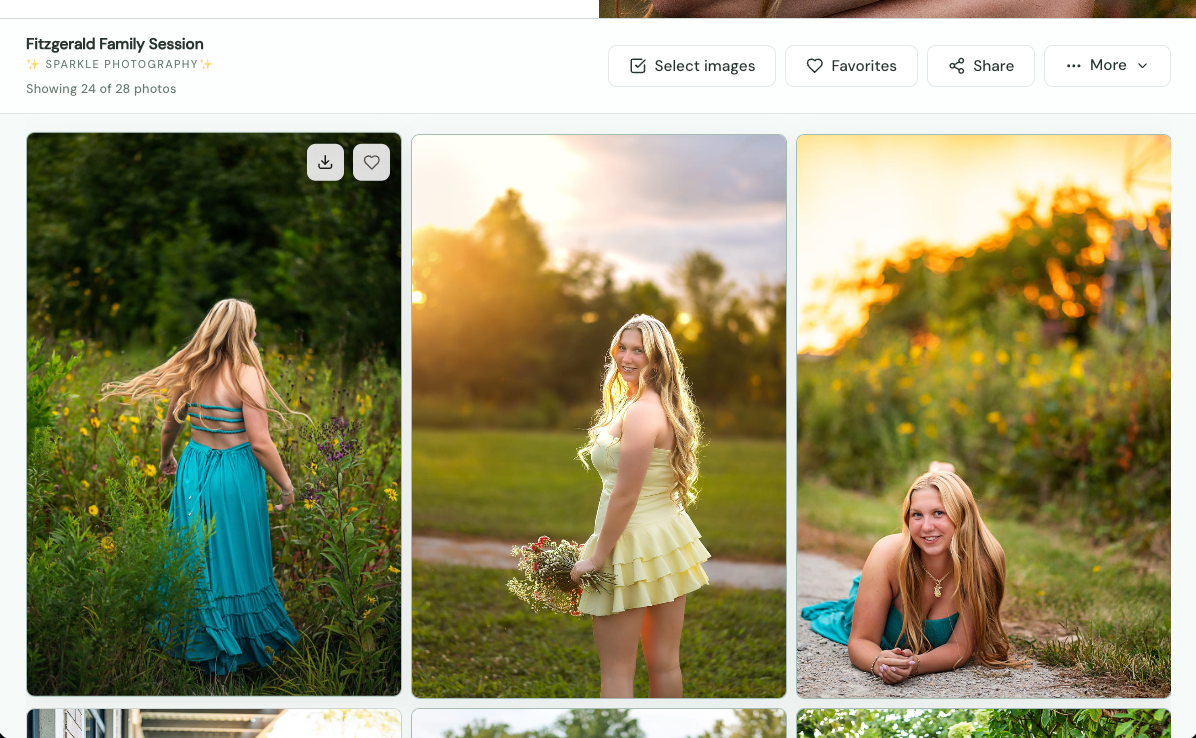
A photography CRM with client galleries keeps your bookings, client records, and photo delivery in one system, so you stop copying the same client details between apps. Instead of booking in one tool and delivering in another, every gallery is connected to the client and session it belongs to.
Most photographers build their tech stack one problem at a time. A scheduler for bookings. A CRM for client info. A gallery app for delivery. A spreadsheet to keep track of what is happening in all three. Each tool solves something, but together they create a new problem: you become the glue holding everything together.
This post looks at what a photography CRM does, what it costs you to run galleries separately, and why bringing delivery into your CRM saves time every single week.
What is a photography CRM?
A photography CRM (client relationship management system) is software that organizes your clients and the work you do for them. It holds client profiles, bookings, and session details in one place, so you can see where every client stands from first inquiry to final delivery without digging through email.
Many photographers use the term interchangeably with studio management software. Either way, the goal is the same: one source of truth for your business, instead of scattered notes, inboxes, and calendar invites.
Can a CRM deliver client galleries?
Yes, some photography CRMs now include client galleries built in. Iris Works Galleries, for example, lives inside the Iris Works platform, so galleries can be created from bookings or client profiles and delivered with a link, without moving files or client details into a separate app.
That is a real shift. For years, photographers assumed delivery had to happen somewhere else. Now it does not.
The hidden cost of running separate tools
The cost of separate tools is not just the subscriptions. It is the time and attention it takes to keep them in sync. Those costs are easy to miss because they show up in small moments throughout your week.
Double data entry. Every new client gets typed in at least twice: once when they book and again when you build their gallery. Names get misspelled, emails get mistyped, and galleries go to the wrong inbox.
Missed handoffs. When booking and delivery live in different places, nothing reminds you that a session happened and a gallery is due. You rely on memory, sticky notes, or a separate task list.
Scattered client history. A client asks which images they picked from last year's session. The answer is in a gallery app, the booking is in your CRM, and the conversation is in your inbox. Finding it takes ten minutes instead of ten seconds.
Subscription stacking. Each tool has its own monthly fee, its own login, and its own renewal date. They add up faster than most photographers realize.
Inconsistent client experience. Clients feel the seams. One email comes from your CRM, another from your gallery platform, each with a different look. A connected system lets the whole experience feel like one brand.
How many software tools does a photographer actually need?
Most photographers need fewer tools than they use. At minimum, you need a way to book and manage clients, a way to edit, and a way to deliver. When your CRM includes galleries, booking, client management, and delivery collapse into one system, leaving your editing software as the main separate tool.
A simple test: list every app you open in a typical client workflow, from inquiry to final delivery. If any two of them hold the same client information, that is a sign they should be one system.
What changes when galleries live inside your CRM
When galleries are part of your CRM, delivery becomes the natural last step of a booking instead of a separate project. Here is how a typical client journey compares.
- Client books. Separate tools: booking saved in CRM. Iris Works with Galleries: booking saved, gallery can auto-create.
- Before the session. Separate tools: remember to build a gallery later. Iris Works: the gallery is already waiting, using your preset.
- After editing. Separate tools: log in to the gallery app, re-enter client details, upload. Iris Works: upload to the gallery already tied to the client.
- Delivery. Separate tools: gallery link sent from a different platform. Iris Works: gallery link sent from the same system as everything else.
- A year later. Separate tools: search two systems to find the session and images. Iris Works: open the client profile and find both.
How Iris Works connects bookings and galleries
Iris Works Galleries is built into the Iris Works studio management platform, so a gallery is never far from the client it belongs to. Here is what that looks like day to day.
Galleries that build themselves. On the booking calendar, check the box to auto-create a gallery when a client books, and choose which preset it uses. By the time you sit down to upload, the gallery is ready.
Five ways in, one system. Create a gallery from the booking calendar, a booking invitation, a new event, a client's profile, or the Galleries page. Wherever you are working, delivery is one click away.
Room for everything else, too. Standalone galleries do not need a client or session date. Use them for portfolio work, styled shoots, or sharing images with vendors, without forcing a fake booking into your calendar.
A smoother client experience. Clients open their gallery with a link and never need an account. You can require a name and email if you want to know who is viewing.
Faster uploads. The Lightroom integration connects your editing workflow directly to your galleries.
Storage included. Every Iris Works plan includes Galleries with 3 GB of storage at no extra cost, with add-ons available as you grow.
Storefront for print sales, AI facial recognition, and video storage and delivery are coming soon and will build on this same connected workflow.
Signs it is time to consolidate your tools
If any of these sound familiar, your CRM and galleries probably belong together:
- You type the same client details into more than one app.
- You have forgotten, or nearly forgotten, to send a gallery.
- You cannot find an old session without searching two or three places.
- Your client emails look different depending on which tool sent them.
- You pay for multiple subscriptions that overlap.
How to bring galleries into your CRM without disruption
Switching does not have to be a big weekend project. A gradual approach works well:
- Start with new bookings. Turn on auto-create in your Iris Works booking calendar so every new session gets a gallery from day one.
- Set up one or two presets. Build presets for your most common session types so new galleries match your brand automatically.
- Connect Lightroom if you edit there, so uploads fit your existing routine.
- Let older galleries run their course. You do not have to migrate everything at once. Deliver new sessions in Iris Works and phase out the old tool as its galleries expire.
- Review after a month. Count how many logins, copy-and-paste steps, and reminders you no longer need.
One system, start to finish
Your clients experience your business as one journey, from booking to the moment they see their photos. Your software should work the same way. With Iris Works Galleries, the gallery is part of the booking, connected to the client, and ready when you are. Start your free trial or add Galleries today, and catch Black Friday pricing through December 1: 30% off all yearly plans for new users, and 30% off the yearly Galleries add-on (15% off monthly) for existing users.
Frequently asked questions
What is the difference between a photography CRM and studio management software?
The terms are often used interchangeably. Both describe software that organizes clients, bookings, and session details. Studio management software sometimes refers to a broader platform, and Iris Works is built to cover both, now including client galleries.
Is Galleries included with Iris Works?
Yes. Every Iris Works plan includes Galleries with 3 GB of storage at no extra cost. More storage and features are available as add-ons.
Do I have to move all my old galleries into Iris Works?
No. Many photographers start by delivering new sessions in Iris Works and let older galleries on their previous platform run their course.
Can I create a gallery for a client who didn't book through Iris Works?
Yes. You can create a gallery from a client profile or as a standalone gallery from the Galleries page, with no session date or booking required.
Can clients buy prints from an Iris Works gallery?
Not yet. Storefront, which will support print sales, is coming soon, along with AI facial recognition and video delivery.
Recent posts