

Stop Chasing Clients. Start Booking Sessions Automatically.
Photography booking software that handles scheduling, contracts, payments, and follow-ups - so you can focus on creating stunning images, not managing your inbox.
Why Online Booking Matters for Your Photography Business
Running a photography business means converting inquiries into bookings while delivering an exceptional client experience. Traditional booking processes - juggling emails, manually sending contracts, chasing payments, and reminding clients about their sessions - waste valuable shooting time and let ideal clients slip away to competitors who made it easy.
Iris Works booking software gives photographers a streamlined way to schedule sessions, collect signed contracts and payments, and automate client communication - all in one centralized platform. Whether you're shooting weddings, portraits, newborns, or commercial work, our booking system handles the operational foundation of your business so you can focus on creativity.
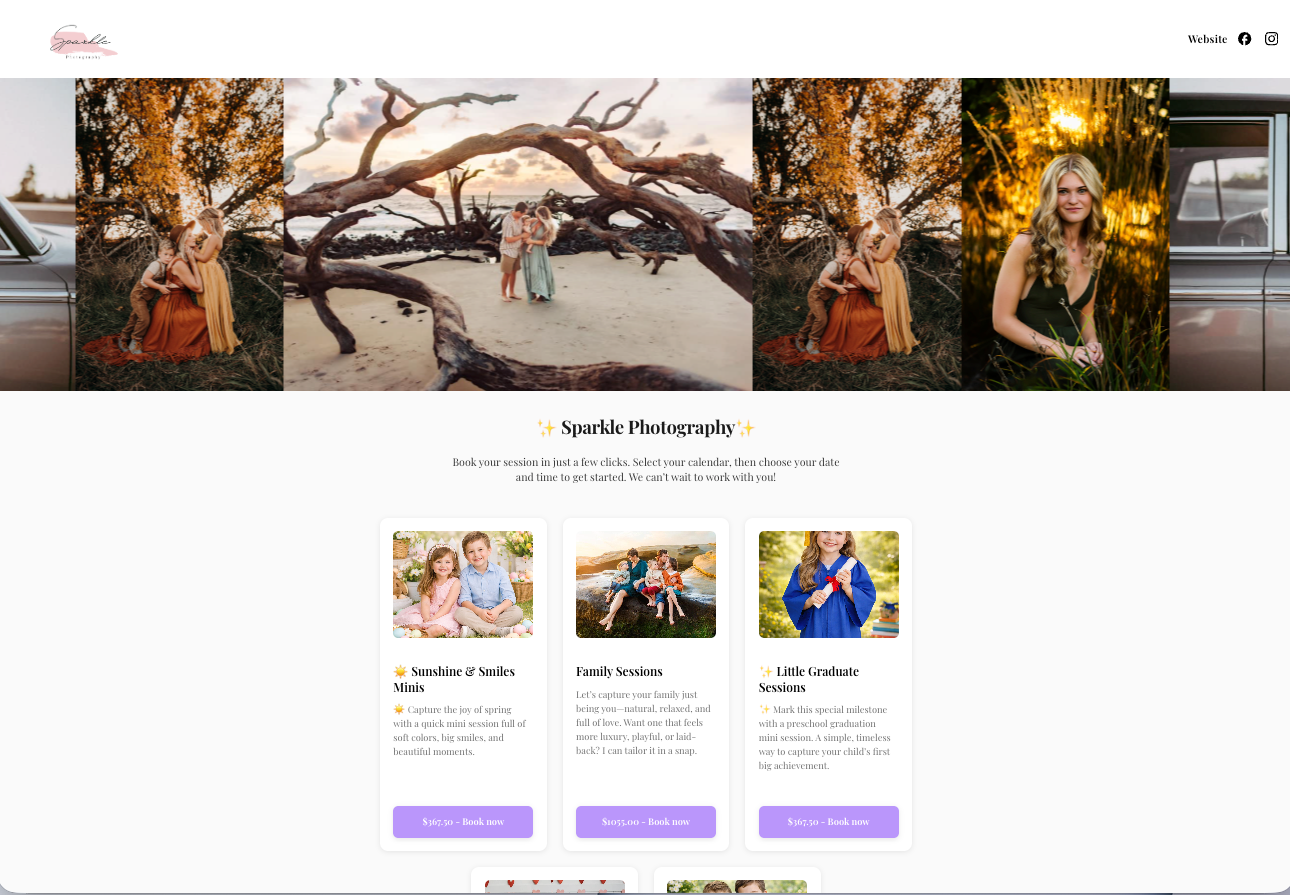
Create a Smoother Booking Experience for Clients
Streamlined Booking Calendar
Let clients book themselves - on your terms
- Real-time availability sync - block out editing days, personal time, or existing shoots automatically
- Session-specific booking pages - separate calendars for weddings, seniors, newborns, and family sessions
- Buffer time controls - prevent back-to-back bookings with automatic spacing
- Reschedule protection - set booking windows and cancellation policies per session type
- Mobile-optimized experience - 70% of your clients will book from their phone
Photographer-specific: Wedding photographers offer engagement add-ons in the booking flow. Newborn photographers add due-date-based flexible scheduling. Portrait photographers let families vote on preferred dates.
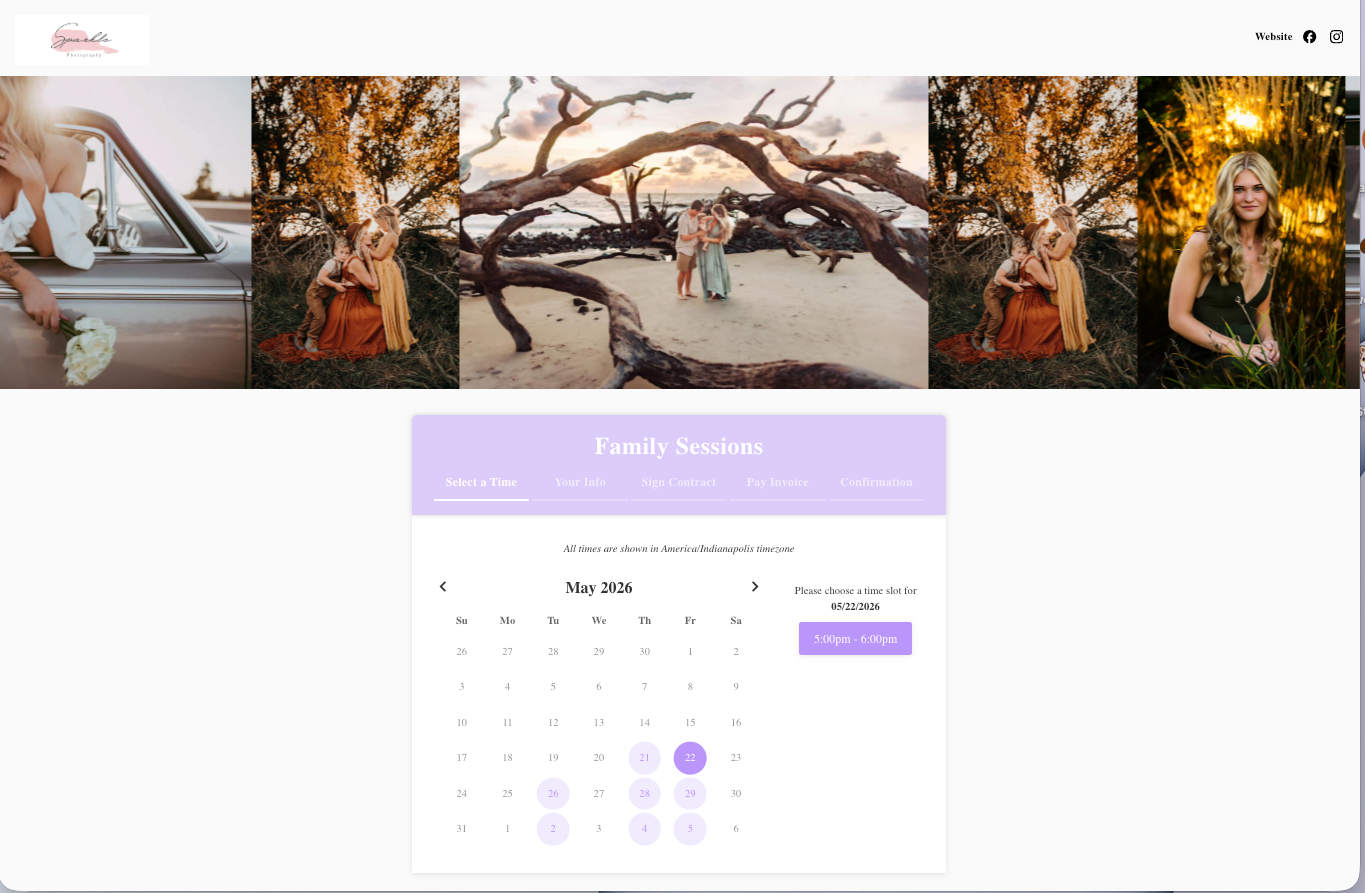
Custom Photography Contracts
Professional contracts built for photographers
- Free photography contract template included with every account
- Smart variables auto-fill client names, session details, dates, and prices
- Unlimited contract templates for different photography services
- Version control - always know which contract was signed
- Instant contract delivery - automatically sent when clients book
Use cases by niche: Wedding photographers - separate contracts for engagement, ceremony, and full-day. Commercial - usage rights and licensing terms built in.
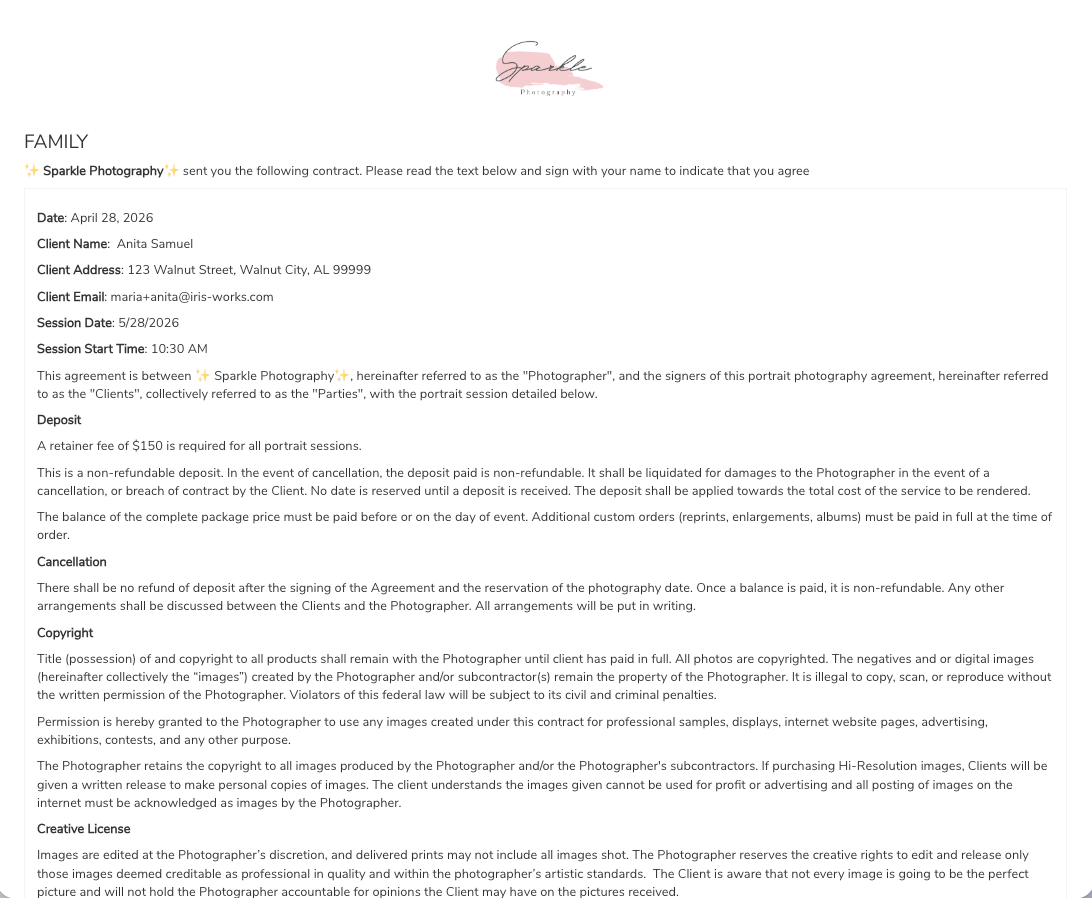
Dedicated Booking Landing Page
One professional URL for all your photography services
- Branded booking hub - display all your session types on one beautiful page
- Embed or standalone - use the URL or embed into your existing website
- Photo carousel showcase - display 1–5 images that rotate automatically
- Calendar visibility control - choose which session types to display when
- Color customization - match your brand colors perfectly
- Mobile-responsive design - gorgeous on every device
SEO benefit: Your booking page is indexable and can rank for searches like "[your city] family photographer booking" or "book wedding photographer [location]".
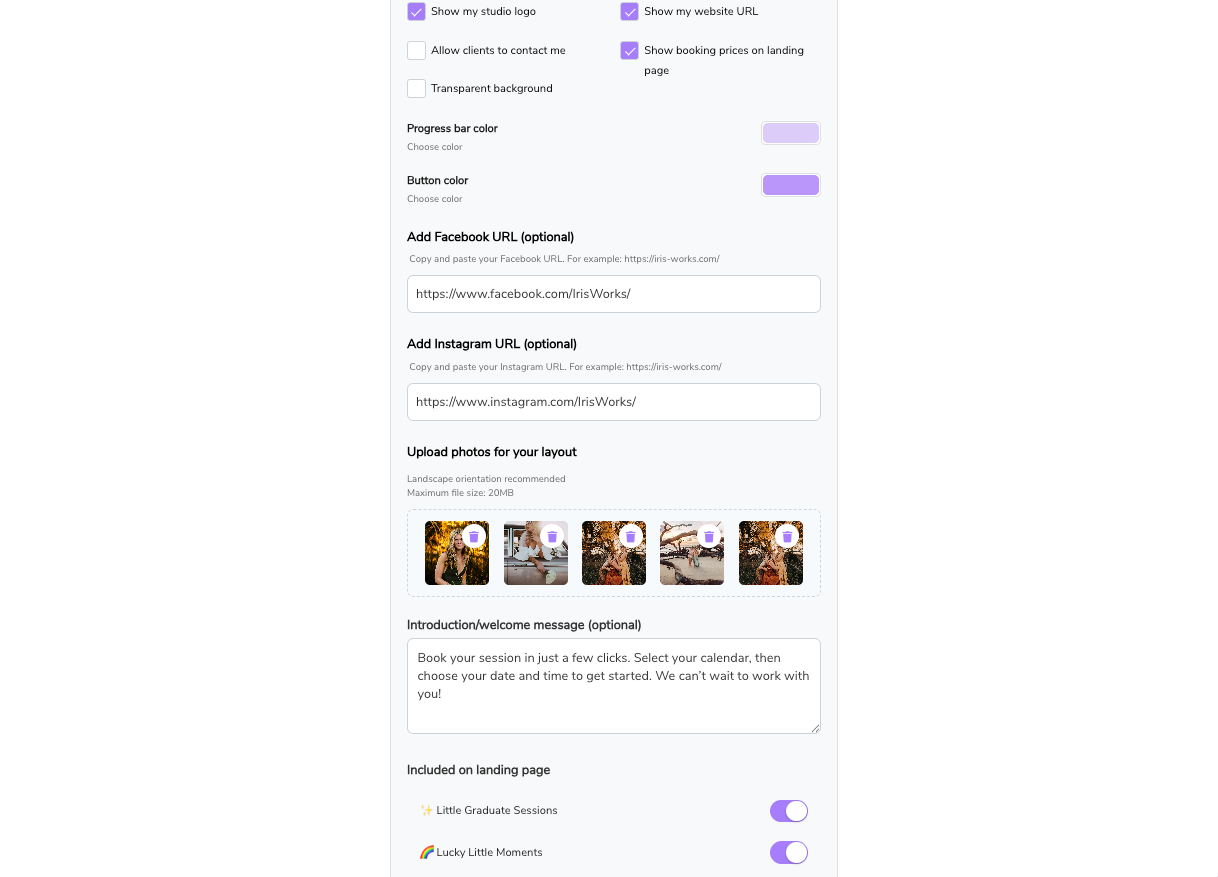
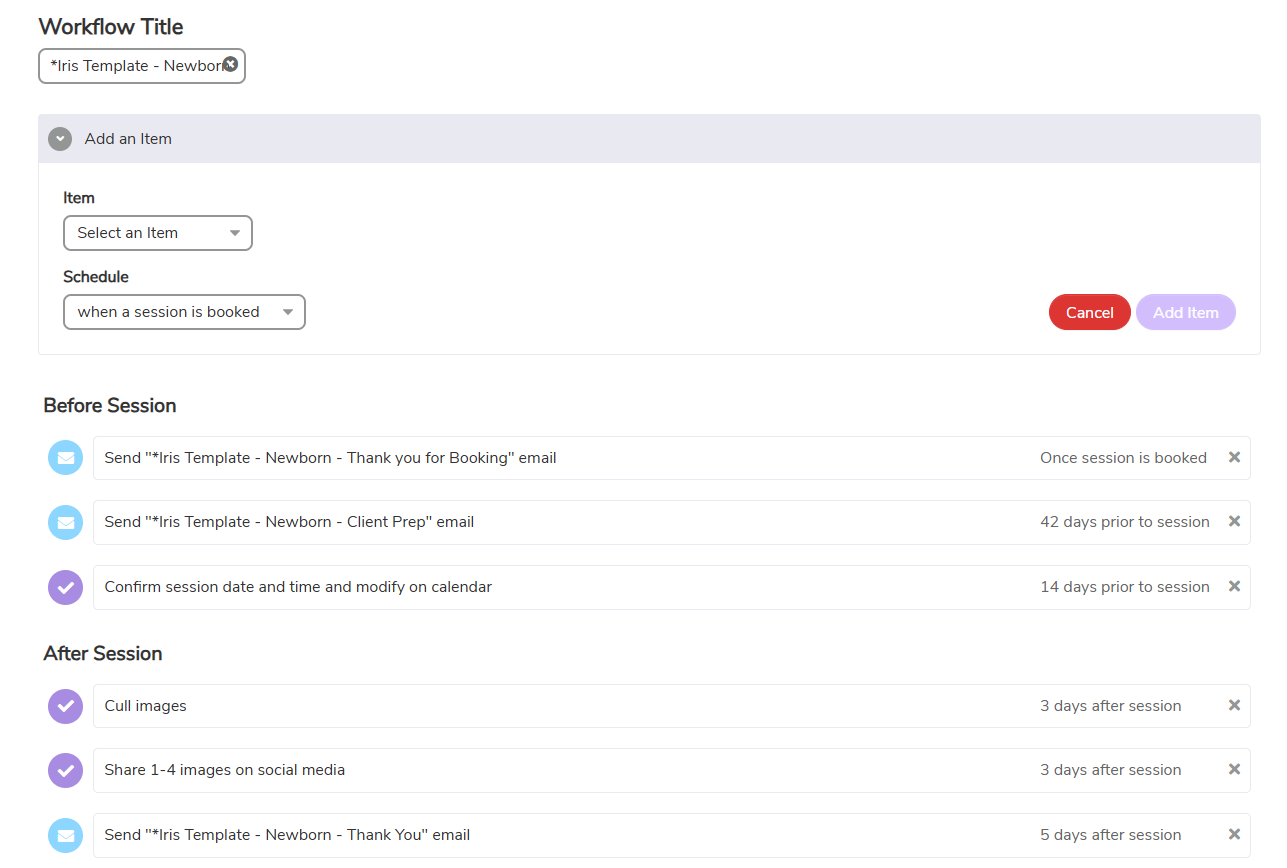
Session Automation
Set it once. Let it run forever.
- Attach workflows directly to your booking calendars
- Automatically send questionnaires, prep guides, reminder emails, and follow-ups after booking
- Contracts and invoices are completed during the booking process for a seamless client experience
- Customize reminder timing based on your session type and workflow needs
- Keep clients on track with automated communication throughout the entire process
- Create different workflows for weddings, portraits, mini sessions, newborns, and more
Use cases by niche: Wedding photographers can automate engagement session prep, timeline questionnaires, and payment reminders. Family photographers can send styling guides and reminder emails before sessions. Mini session photographers can automate high-volume booking communication without the back-and-forth.
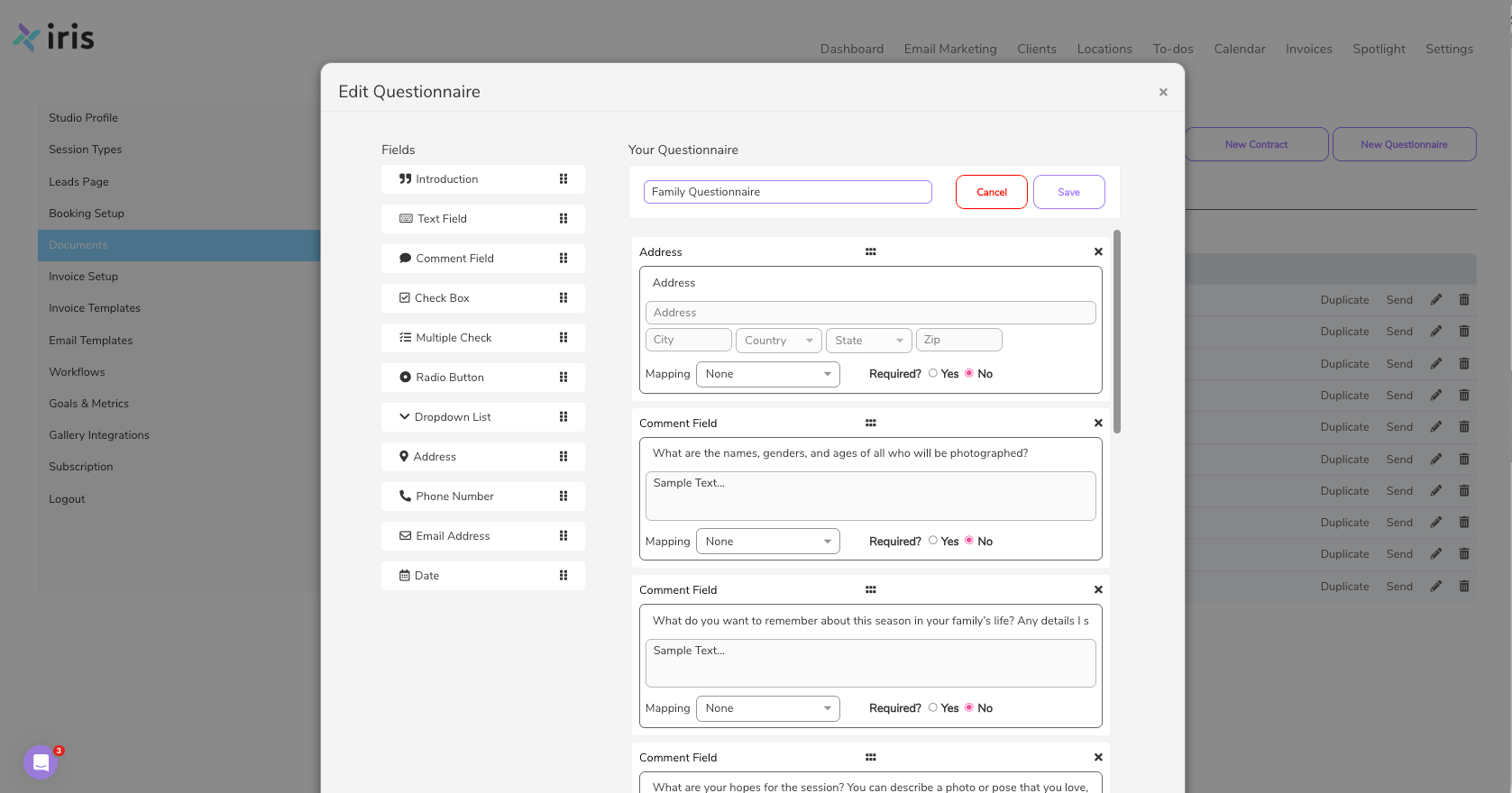
Client Questionnaires
Get the details you need before every shoot
- Pre-built questionnaire templates for every photography niche
- Automatic delivery - sent as part of your booking workflow
- Client profile integration - answers stored with client records
- Conditional questions - show different questions based on session type
Niche-specific questions: Family - ages of children, wardrobe colors. Senior - style preferences, prop requests. Weddings - timeline, family photo lists. Newborn - due date, nursery colors, sibling info.
All-In-One Booking Flow
Book → Sign → Pay. Three steps. One seamless experience.
Stop wasting time chasing emails, contracts, and invoices. Clients complete your entire booking process in one smooth experience
1
Book Your Session
Clients select their session type, choose a date, and confirm availability.
2
Sign the Contract
Contracts are automatically generated with client information pre-filled and ready for e-signature.
3
Submits Payment
Invoices are built directly into the booking process so clients can pay immediately and receive confirmation automatically.
Photography Booking Software That Works as Hard as You Do
Iris Works isn't just another scheduling tool. It's an all-in-one booking system built by photographers, for photographers - because we know your workflow isn't one-size-fits-all.
Book & Get Paid in One Click
Your clients choose their session time, sign the contract, and pay the invoice - all without leaving your booking page. No follow-up required.
A Booking Experience That Matches Your Brand
Add your images, brand colors, and session details to create a polished client booking experience that feels professional and consistent.
Automate Your Entire Client Journey
Set up your workflow once, then let Iris Works handle welcome emails, contract delivery, invoice reminders, and questionnaires automatically.
Why Photographers Choose Iris Works Over Generic Booking Software
Side-by-side with the tools you're probably considering.
Booking Solutions for Every Photography Business
Every photography niche has unique booking needs. Iris Works flexes to fit how you actually work.
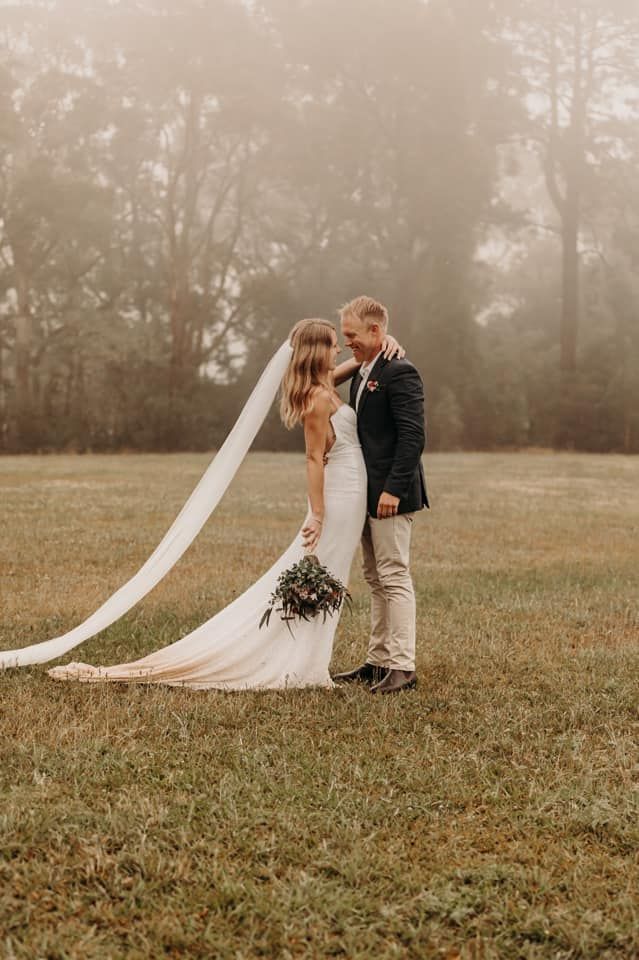
Wedding Photographers
What you can do
- Book engagement sessions with wedding package upgrades
- Collect detailed wedding day timelines and family photo lists
- Multiple payment schedules (deposit, milestone, final)
- Separate contracts for different coverage packages
- Automated timeline reminders leading up to wedding day
Why integration matters
Wedding clients book 6–12 months out with complex payment schedules. When your calendar, contract, deposit, and timeline all live in one system, you avoid double-bookings and never miss a milestone payment.

Newborn Photographers
What you can do
- Due-date-based flexible scheduling
- Hospital or home session preferences
- Props and color scheme preferences
- Sibling session coordination
- Post-birth reschedule accommodations
Why integration matters
Babies arrive on their own schedule. Flexible booking with auto-reschedule rules lets parents lock in their slot at 30 weeks pregnant and adjust seamlessly when the baby actually arrives.

Family Photographers
What you can do
- Seasonal mini-session booking pages
- Quick-turnaround booking for last-minute availability
- Family member details collected at the time of booking
- Location and backdrop preferences pre-captured
- Gallery delivery and model release workflows
Why integration matters
Mini-session day is chaos. Pre-configured booking pages let you fill 20+ slots in hours, not weeks - with contracts and payments handled automatically as families lock in their time.

Photography Studio Owners
What you can do
- Standardized booking pages for your entire team
- Centralized calendar management across multiple photographers
- Consistent contract templates and pricing across your studio
- Unified client database for every team member
- Team-wide automated workflows and brand consistency
Why integration matters
A studio runs on consistency. One platform for booking, contracts, and payments means every photographer on your team delivers the same polished client experience and you keep total visibility.

Portrait Photographers
What you can do
- Seasonal mini-session booking pages
- Quick-turnaround booking for last-minute availability
- Family member details collected at the time of booking
- Location and backdrop preferences pre-captured
- Gallery delivery and model release workflows
Why integration matters
Mini-session day is chaos. Pre-configured booking pages let you fill 20+ slots in hours, not weeks - with contracts and payments handled automatically as families lock in their time.

Commercial Photographers
What you can do
- Project-based booking with custom scope details
- Licensing terms and usage rights built into the booking flow
- Net-30 / Net-60 invoice options for corporate clients
- Multi-stakeholder approval workflows
- Reusable contract templates by client type
Why integration matters
Commercial clients have different payment terms and legal needs than consumers. Custom booking flows let you handle complex licensing, invoicing, and project scope without negotiating from scratch every time.
Start Booking More Photography Sessions Today
Join thousands of photographers who automated their booking process and reclaimed 15+ hours every week.
No credit card required • Full access to all features • Cancel anytime
Frequently Asked Questions About Online Booking Software
Is Iris Works only for photographers?
Yes! Iris Works is specifically designed by photographers, for photographers. Unlike generic scheduling tools, every feature is built around the unique needs of photography businesses - from session-type-specific booking to photography contract templates.
Can clients book, sign contracts, and pay all at once?
Absolutely. That's the core of our booking flow. Your clients select their session time, electronically sign your contract, and pay their invoice - all in one seamless experience. No back-and-forth emails required.
What types of photography sessions work with Iris Works booking?
All of them! Wedding, portrait, family, senior, newborn, boudoir, commercial, event, and any other photography service. You can create unlimited calendar types, each with its own pricing, contracts, and questionnaires.
Do I need technical skills to set up my booking page?
Not at all. Our setup wizard walks you through creating your booking page in under 15 minutes. Choose your photos, set your brand colors, add your session types, and you're live. If you can use Instagram, you can set up Iris Works.
Can I customize my photography contracts?
Yes. We include a free photography contract template written by legal professionals. You can customize every word to match your business, services, and policies. Use smart variables to auto-fill client information, and create multiple contract versions for different session types.
What if a client needs to reschedule their photography session?
You control your reschedule and cancellation policies. Clients can reschedule themselves based on your rules, or you can manually move sessions. All contracts and invoices automatically update.
Does Iris Works integrate with my photography website?
Yes! You can embed your booking page directly into your WordPress, Squarespace, Wix, or Showit website. Or use a standalone branded URL like yourstudio.irisworks.com/book. Both options look professional and match your brand.
Can I collect session details before the shoot?
That's what our questionnaire feature is for. Create custom questionnaires for each session type, and they're automatically sent after booking. All answers are stored in the client's profile, so you walk into every session fully prepared.
How do photography clients pay through Iris Works?
Clients pay directly through the booking flow using Stripe, PayPal, or Square (your choice). You can require full payment upfront, accept deposits, or create payment plans. All payment tracking happens automatically.
What happens after my 14-day free trial?
You choose! If Iris Works is saving you time and booking you more sessions, continue with one of our paid plans. If it's not the right fit, your trial simply ends - no charges, no complicated cancellation process.
Is my client data secure?
Yes. We use bank-level SSL encryption, automated backups, and are GDPR compliant. Your client information, contracts, and payment data are protected with the same security standards used by financial institutions.
Can I use Iris Works for photography mini sessions?
Absolutely. Iris Works scales with your business. Whether you're shooting one session per month or fifty, the contract system works the same way—saving you time regardless of volume.
Can I use Iris Works for photography mini sessions?
Perfect for mini sessions! Create a dedicated mini-session calendar with shorter time slots, rapid booking, and streamlined contracts. Many photographers use Iris Works to book 20-30 mini sessions in a single day without any manual coordination.