

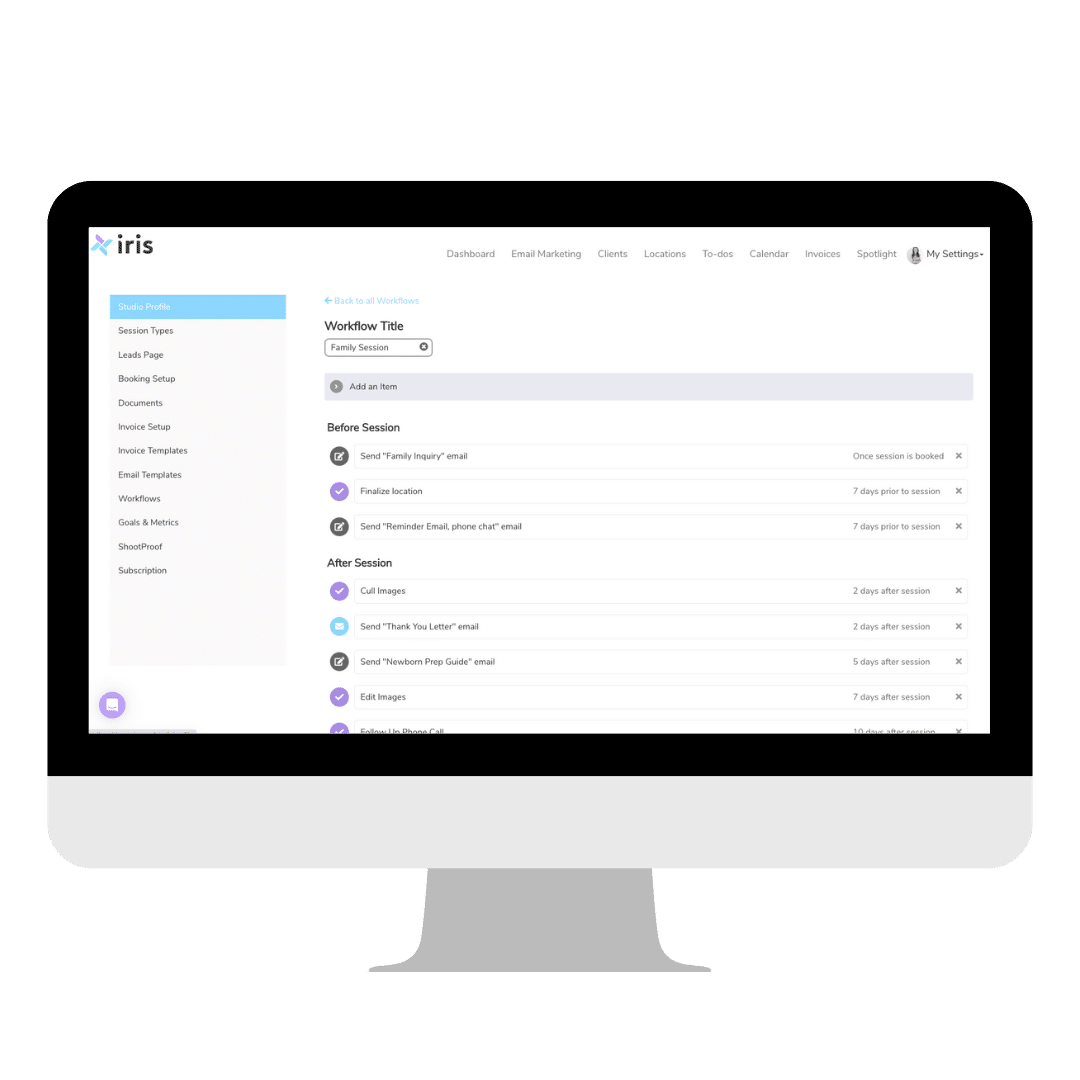
Spring Cleaning for Your Photography Workflow
Spring is a season of growth and renewal, making it the perfect time to refresh your photography business workflows. With the busy season on the horizon, it's essential to streamline your processes to stay organized, reduce stress, and deliver exceptional client experiences. Iris Works offers the tools and strategies you need to clean up your workflow and prepare for a successful season.
Why Streamlining Workflows Matters
An efficient workflow is the backbone of a thriving photography business. It ensures that you stay on top of client communications, manage bookings seamlessly, and meet deadlines without feeling overwhelmed. By streamlining your workflows now, you set yourself up for success as your calendar fills up during the busy season, instead of trying to fix a broken process in the middle of your busiest weeks.

Decluttering Your Current Workflow
Before you dive into streamlining, take a moment to assess your current workflow. Are there steps that feel repetitive or unnecessary? Are you spending too much time on manual tasks? With Iris Works, you can:
- Audit Your Processes: Identify inefficiencies in booking, communication, or delivery.
- Consolidate Tools: Use Iris Works as an all-in-one platform to replace multiple disconnected systems.
- Organize Client Information: Centralize all client details, contracts, and session notes for easy access.
A clean, well-organized workflow saves time and ensures consistency across all your projects, giving you a clear starting point before the season picks up.
Automating Your Workflow with Iris Works
Automation is a game-changer for photographers managing multiple clients. Iris Works allows you to automate key parts of your workflow, including:
- Booking and Scheduling: Use the online booking calendar to let clients select sessions without back and forth emails.
- Session Reminders: Automatically send clients reminders about their sessions, contracts, or payments.
- Follow-Ups: Set up post-session thank-you emails or gallery delivery notifications.
These automations reduce your workload and ensure a seamless experience for your clients, running quietly in the background once each session is booked.
Preparing for the Busy Season
As your schedule ramps up, preparation is key. Iris Works can help you get ahead by:
- Creating Templates: Use pre-designed email, contract, and invoice templates to save time on repetitive tasks.
- Setting Up Workflows: Build workflows tailored to different types of sessions, from mini sessions to full-day events.
- Batching Tasks: Group similar tasks, like editing or gallery uploads, into focused sessions for maximum efficiency.
This proactive approach ensures you're ready to handle the demands of the busy season with ease, instead of scrambling to build your systems while your calendar is already full.
Enhancing Client Communication
Clear, timely communication is critical as your workload increases. With Iris Works, you can:
- Personalize Emails: Send automated messages that still feel thoughtful and specific to each client.
- Stay Ahead of Questions: Include answers to common client questions in your prep guides and session emails, so clients feel informed before they even have to ask.
These strategies keep your clients informed and confident in your services.
Delivering a Seamless Experience
Spring cleaning isn't just about improving your internal processes, it's also about enhancing the client experience. With Iris Works, you can deliver a streamlined, professional experience that keeps clients coming back. From booking to final delivery, every step is polished and stress-free.
Conclusion
As busy season approaches, now is the time to spring forward and clean up your workflow. Iris Works provides the tools and strategies you need to streamline your processes, save time, and deliver an outstanding experience for your clients. With a refreshed workflow, you can focus on what you do best, capturing unforgettable moments and growing your photography business.
Frequently Asked Questions
How does Iris Works help photographers consolidate scattered tools into one system?
Iris Works acts as an all-in-one platform for booking, contracts, invoicing, and client communication, allowing photographers to replace multiple disconnected tools with a single organized system.
Can Iris Works automate reminders once a session is booked?
Yes. Once a session is booked, Iris Works can automatically send reminders about the session, contracts, or payments, reducing the need for manual follow-up.
Does Iris Works let me build different workflows for different session types before busy season starts?
Yes. Iris Works allows you to create separate workflows tailored to different session types, such as mini sessions versus full-day events, so each one is ready to go before your calendar fills up.
How can Iris Works help answer common client questions without extra emails?
Prep guides and session emails built in Iris Works can include answers to frequently asked questions, so clients get the information they need without having to reach out separately.
Can Iris Works help centralize client details before busy season begins?
Yes. Iris Works centralizes client contact information, contracts, and session notes in one place, making it easy to access everything you need as your workload increases.
Recent posts