

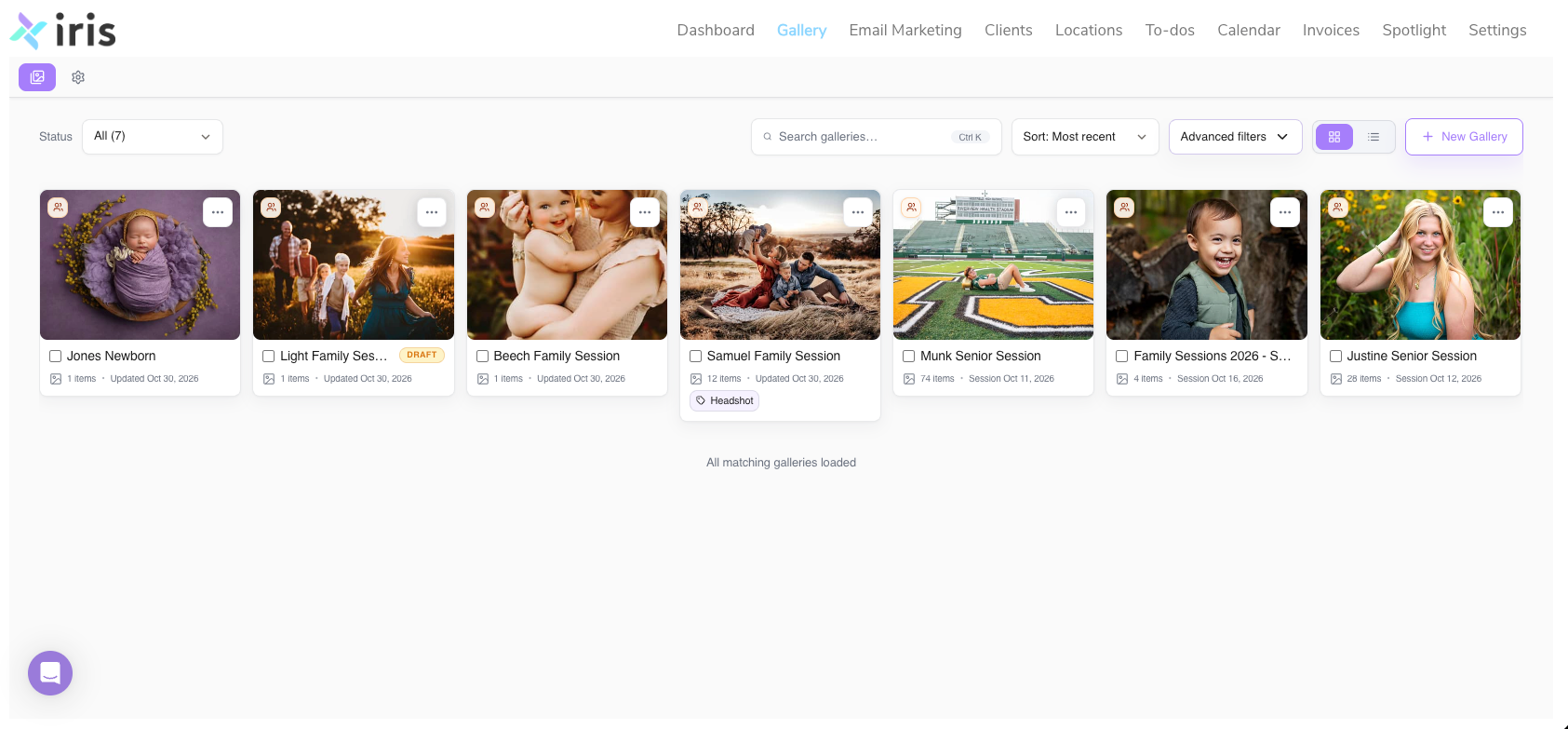
Iris Galleries: Client Galleries Built Into Iris
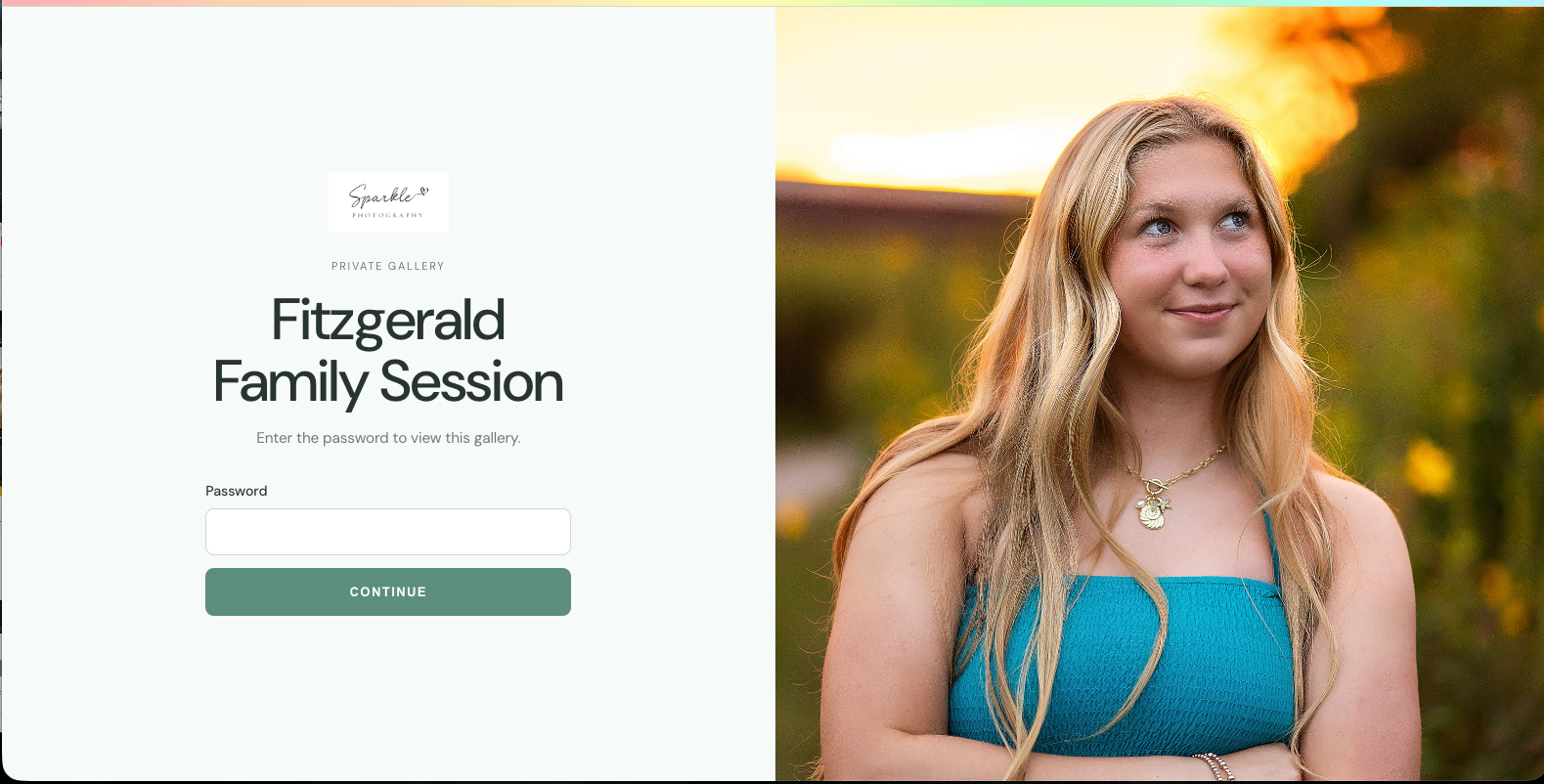
Iris Galleries is client gallery software built directly into Iris, the studio management platform for photographers. It lets photographers deliver branded, editorial online galleries where clients can favorite, sort, and leave notes on their photos, all from the same place they manage clients and sessions. Iris Galleries launches on November 16, 2026.
Key facts about Iris Galleries
- What it is: an online client gallery tool for photographers
- Where it lives: inside Iris, alongside clients and sessions
- Who it's for: portrait, family, wedding, and event photographers who deliver images online
- Launch date: Monday, November 16, 2026
- Standout features: automatic branding, client favorites with custom folders, notes on images, and drag-and-drop image ordering
What is Iris Galleries?
Iris Galleries is an online client gallery built into Iris, the studio management software for photographers. Photographers use it to deliver finished images to clients in a clean, branded gallery, without switching to a separate gallery platform.
If you followed our Halloween teasers this past week, this is the secret we were keeping. The mask is officially off.
Who is Iris Galleries for?
Iris Galleries is for photographers who deliver images to clients online, including portrait, family, newborn, senior, wedding, and event photographers. It's especially useful for photographers who want client management and photo delivery in one place.
Why did Iris build a client gallery?
Iris built Galleries so photographers can deliver images in the same place they already run their business. Many photographers manage clients in one tool and deliver photos in another, which means extra logins, extra subscriptions, and details that get lost between systems.
The moment a client sees their photos for the first time is one of the most important moments in a photography business. Iris Galleries is designed to make that moment feel polished and personal, with a less-is-more layout that keeps the focus on the images.
What features does Iris Galleries include?
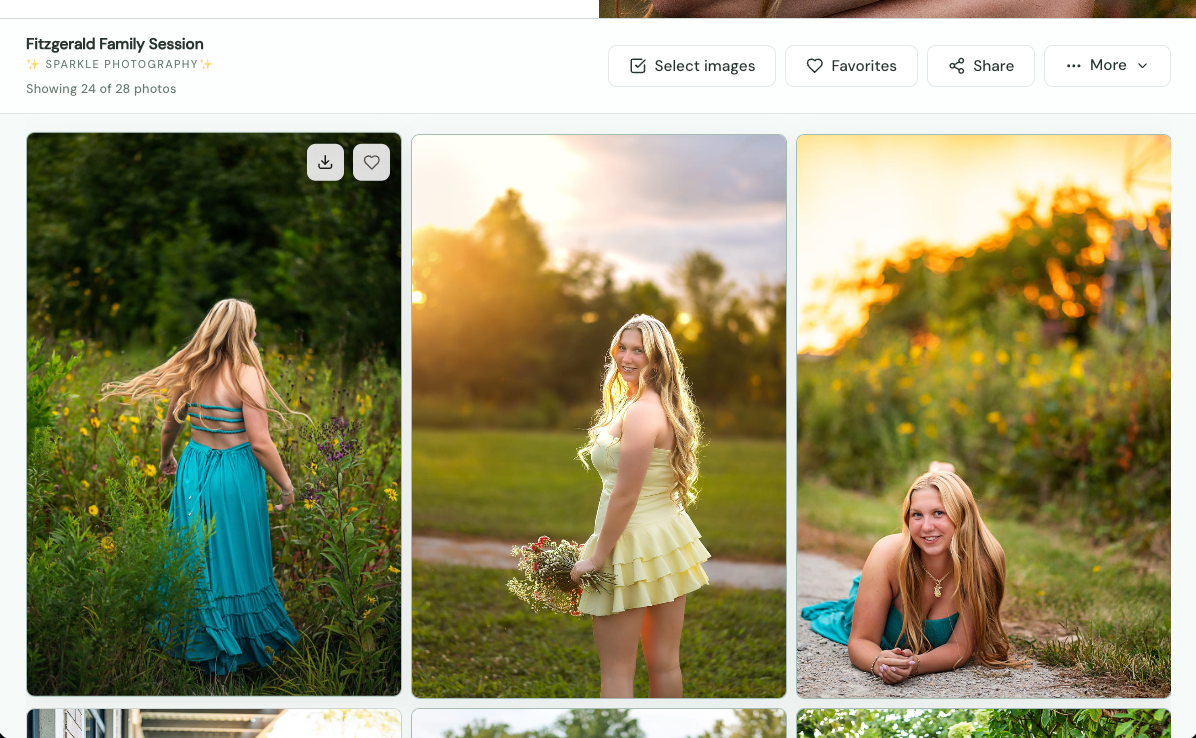
Iris Galleries includes an editorial gallery layout, automatic branding, client favorites with custom folders, notes on individual images, and drag-and-drop image ordering.
Editorial gallery design
Every gallery uses a clean, editorial layout with minimal buttons and clutter, so the photos are the focus.
Client favorites with custom folders
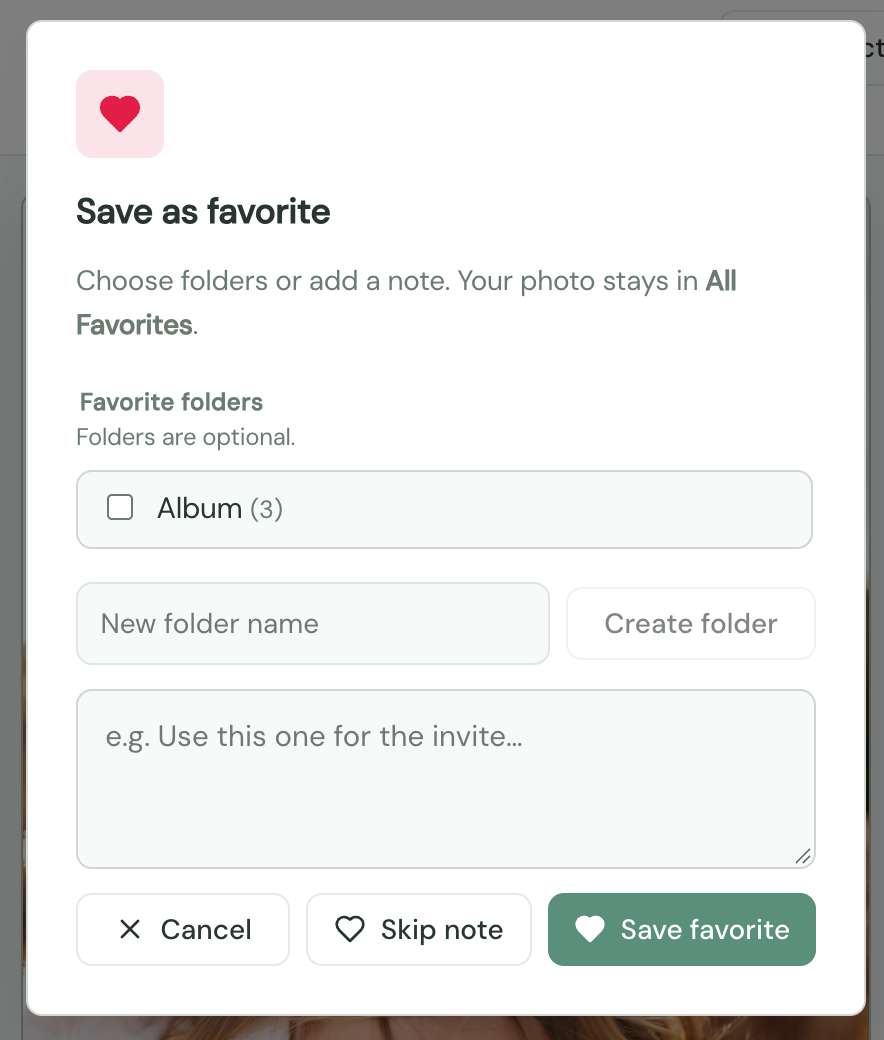
Clients can favorite the images they love and sort them into their own folders, such as "For the wall" or "For Grandma." This makes narrowing down selections easier for clients and clearer for photographers.
Notes on images
Clients can leave notes directly on a specific photo, so feedback stays attached to the right image instead of getting lost in email.
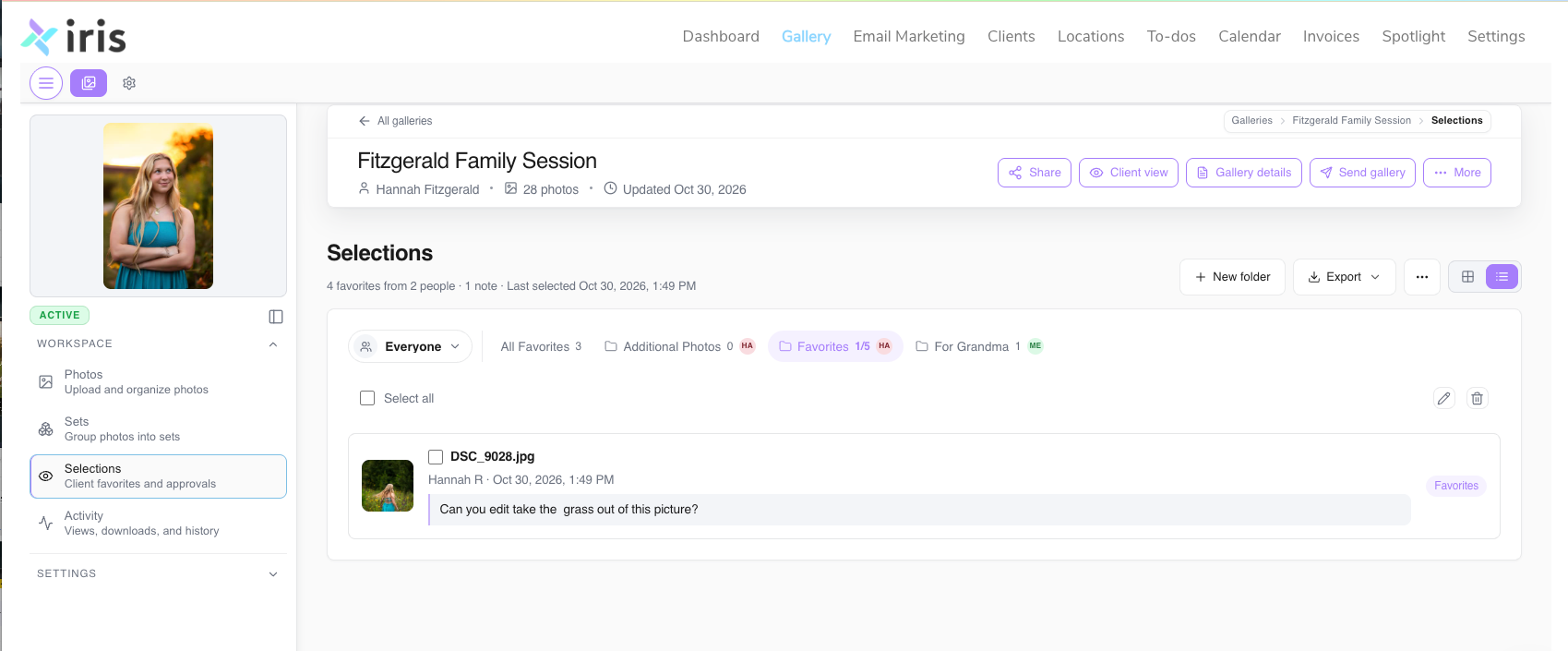
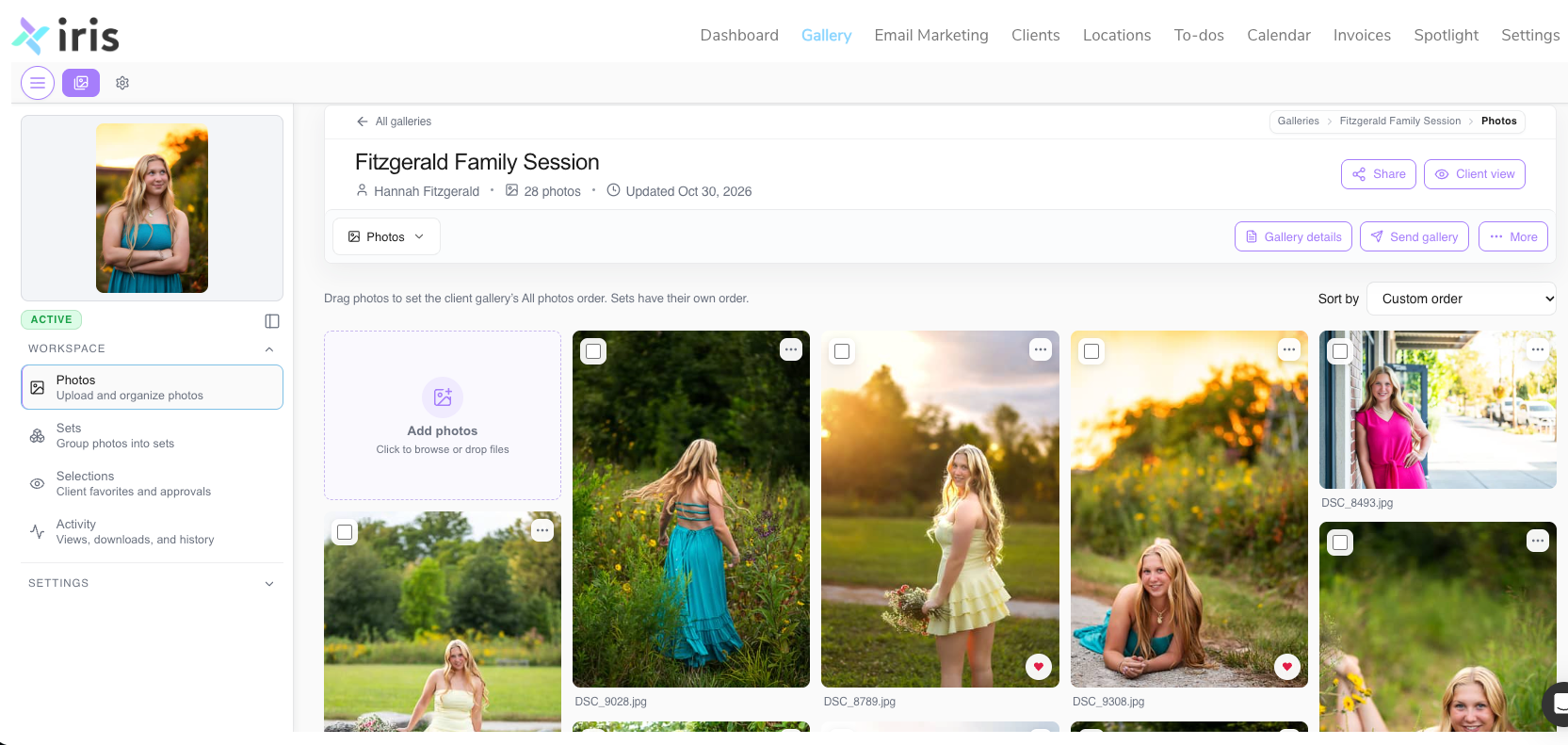
Drag-and-drop image arrangement
Photographers can drag and drop images to set the order clients see them in, so each gallery tells the story of the session.
How is Iris Galleries different from a standalone gallery platform?
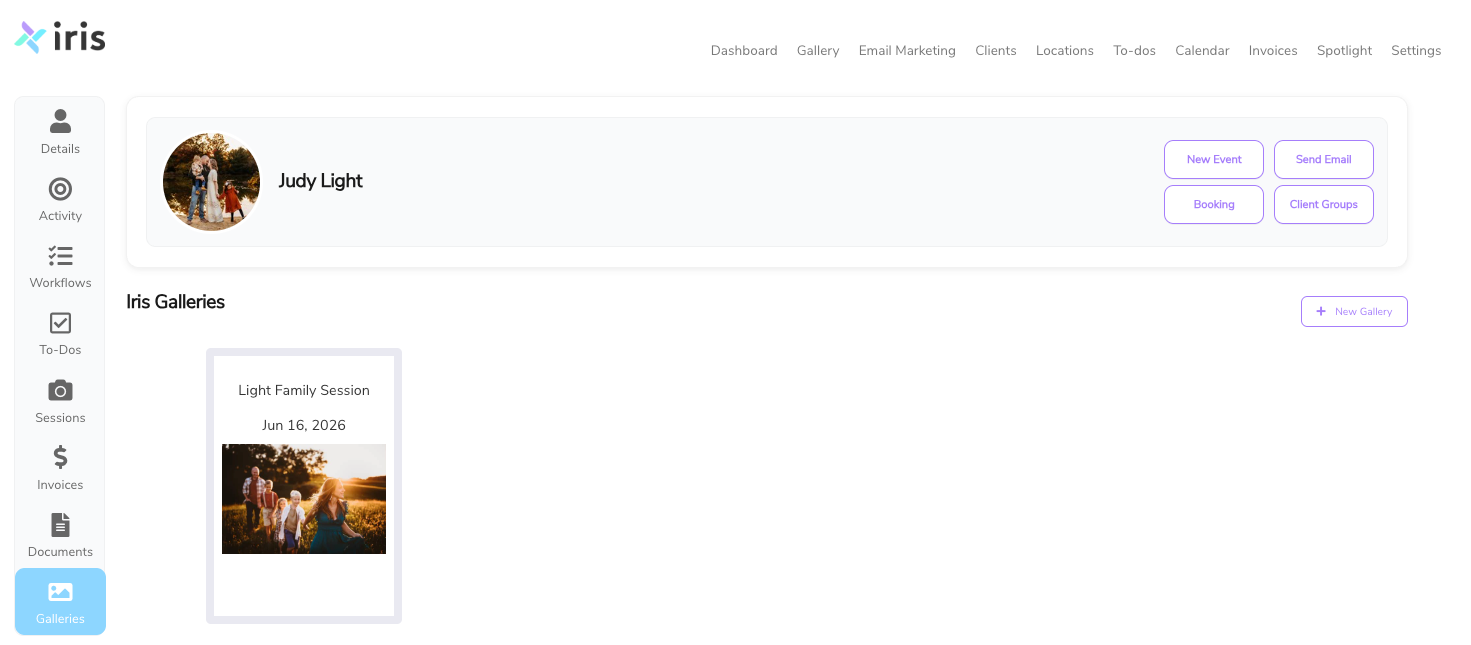
Iris Galleries is built into Iris, so photographers manage clients, sessions, and photo delivery in one platform instead of two.
- One login: no separate gallery account to sign into.
- Connected records: each gallery ties back to its client and session, so nothing gets lost.
- Less admin: fewer tools, fewer passwords, and more time behind the camera.
When does Iris Galleries launch?
Iris Galleries launches on Monday, November 16, 2026. Between now and launch, we'll share feature spotlights, reactions from beta photographers, and a walkthrough of how Galleries fits into your workflow.
Frequently asked questions about Iris Galleries
What is Iris Galleries?
Iris Galleries is client gallery software built into Iris, the studio management platform for photographers. It lets photographers deliver branded online photo galleries to clients.
When will Iris Galleries be available?
Iris Galleries will be available on Monday, November 16, 2026.
Do I need a separate login to use Iris Galleries?
No. Iris Galleries is part of Iris, so you use your existing Iris login.
Is Iris Galleries included with my Iris subscription?
Galleries with 3gb of storage are included with your Iris subscription with the ability to add on additional storage and features for an additional fee.
Can clients choose their favorite photos?
Yes. Clients can favorite images and sort their favorites into custom folders they create.
Can clients leave feedback on specific photos?
Yes. Clients can leave notes directly on individual images, so feedback stays attached to the right photo.
Will my galleries show my branding?
Yes. Iris Galleries automatically applies the logo and branding from your Iris account.
Can I control the order of photos in a gallery?
Yes. You can drag and drop images to arrange them in any order.
Can clients order prints from Iris Galleries?
Not at launch but it is on it’s way.
How do I get started with Iris Galleries?
Starting November 16, you'll find Galleries -WHERE IT LIVES, e.g. in your Iris account under Gallery. Open a client, choose the session, upload your images, and send the gallery.
Recent posts