



Mini Sessions Shouldn’t Feel Messy: How to Organize and Book Mini Sessions Efficiently
Maria Eveslage • June 11, 2026

Why Mini Sessions Feel Overwhelming

Mini sessions are one of the fastest ways to generate revenue.


They are also one of the easiest ways to lose control of your workflow.


You are handling:


  • High volume bookings
  • Tight schedules
  • Repetitive communication
  • Multiple clients in a short timeframe


Without a system, it becomes overwhelming quickly.


Where Mini Sessions Break Down

Most issues come from process gaps.


You might see:


  • Double bookings
  • Confusion around available time slots
  • Contracts and invoices sent separately
  • Clients missing important details


When everything is manual, small mistakes compound fast.


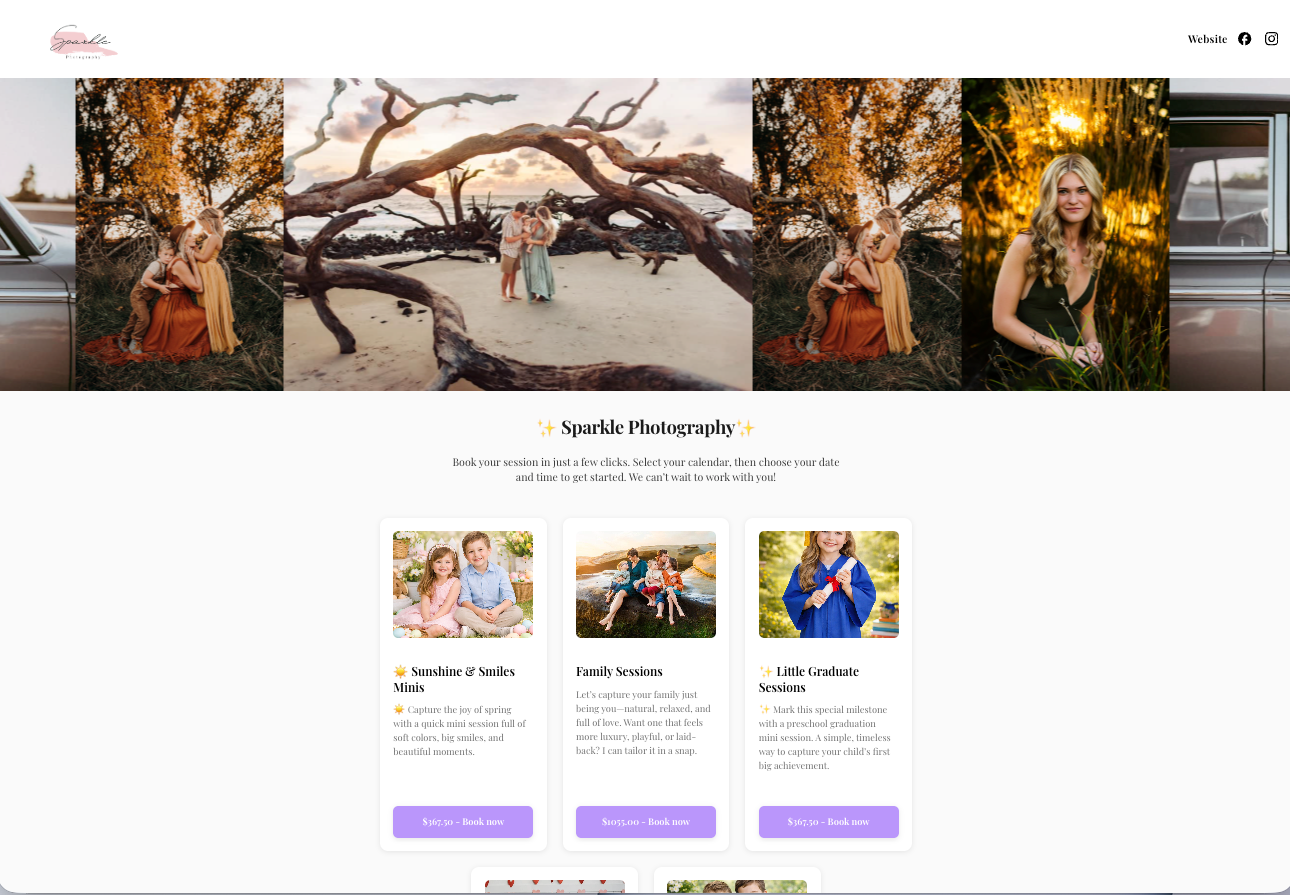
Iris booking pages


What a Strong Mini Session System Looks Like

A clean mini session process is simple.


Clients should be able to:


  • View available time slots
  • Select their session
  • Sign a contract
  • Pay


All in one step.


No emails back and forth.


How a Photography CRM Simplifies Mini Sessions

Inside Iris Works, you can:


  • Create specific time slots
  • Limit availability
  • Require contract and payment at booking
  • Send automatic confirmations


This keeps everything organized from the start.


email communication


Managing Communication at Scale

Mini sessions bring repetitive questions.


Instead of answering each one:


  • Send a detailed confirmation email
  • Include location, timing, and expectations
  • Schedule reminder emails


This reduces confusion and saves time.


Example: Mini Session Day Workflow

Before:


  • Clients book at different times
  • Information is scattered
  • You are answering the same questions repeatedly


After:


  • Clients book through one calendar
  • Contracts and payments are completed instantly
  • Emails are sent automatically
  • Your schedule is fully organized


Why This Matters

A streamlined mini session process:


  • Saves hours of admin work
  • Reduces scheduling errors
  • Improves client experience
  • Allows you to handle more volume


Take the Next Step

If your mini sessions feel messy, simplify your process with a system that handles booking and communication in one place.

Frequently Asked Questions

  • How do I prevent double bookings?

    Use fixed time slots in your booking calendar so only available times can be selected. Iris can also check your connected external calendar to block off times you’re already booked, helping prevent conflicts automatically.

  • Should I require payment upfront?

    Yes. This secures the booking and reduces no-shows.

  • How do I manage communication?

    Use templates and automated emails to provide consistent information.

  • Can I run multiple mini session events?

    Yes. Create separate calendars for each date and manage them all in one place.

  • What is the biggest mistake with mini sessions?

    Trying to manage everything manually instead of using a system.

Recent posts

Photography CRM
By Maria Eveslage June 10, 2026
A photography CRM helps photographers automate communication, respond faster, and stay ahead of client needs without added workload.
Photography CRM
By Maria Eveslage June 8, 2026
A photography CRM helps photographers fix broken workflows, automate processes, and create a consistent client experience that scales.
Show More