


Every photographer wants a full calendar. It means your business is working.
But once it happens, things get messy fast.
You’re managing dozens or even hundreds of clients. Emails pile up. Follow-ups get missed. Contracts, invoices, and session details are scattered across different places.
What used to feel exciting starts to feel overwhelming.
Scaling your business is not just about getting more clients. It is about managing them the right way. This is where having a photography CRM changes everything.
The Growing Pains: When Client Management Becomes Too Much
When you only had a few clients, everything was easy to track.
You remembered details. You knew where everything was. Communication felt simple.
As your business grows, that approach stops working.
You start to see:
- Missed emails and delayed responses
- Double bookings or scheduling conflicts
- Unpaid invoices that require constant follow-up
- Forgotten steps in your client process
This is not just frustrating. It affects your client experience and your reputation.
Time spent digging through emails or spreadsheets is time you are not shooting, editing, or growing your business.
At a certain point, the problem is not your workload. It is your system.

The Solution: A Photography CRM as Your Virtual Studio Manager
Instead of trying to manage everything manually, you need a system that does it for you.
A photography CRM acts like a virtual studio manager. It keeps everything organized and handles repetitive tasks automatically.
With Iris Works, everything lives in one place:
- Client details
- Contracts
- Invoices
- Questionnaires
- Communication history
You are no longer jumping between tools or trying to remember what comes next.
Here is how it helps you scale:
Centralized Client Management
All client information is stored in one place. No more searching through emails or spreadsheets.
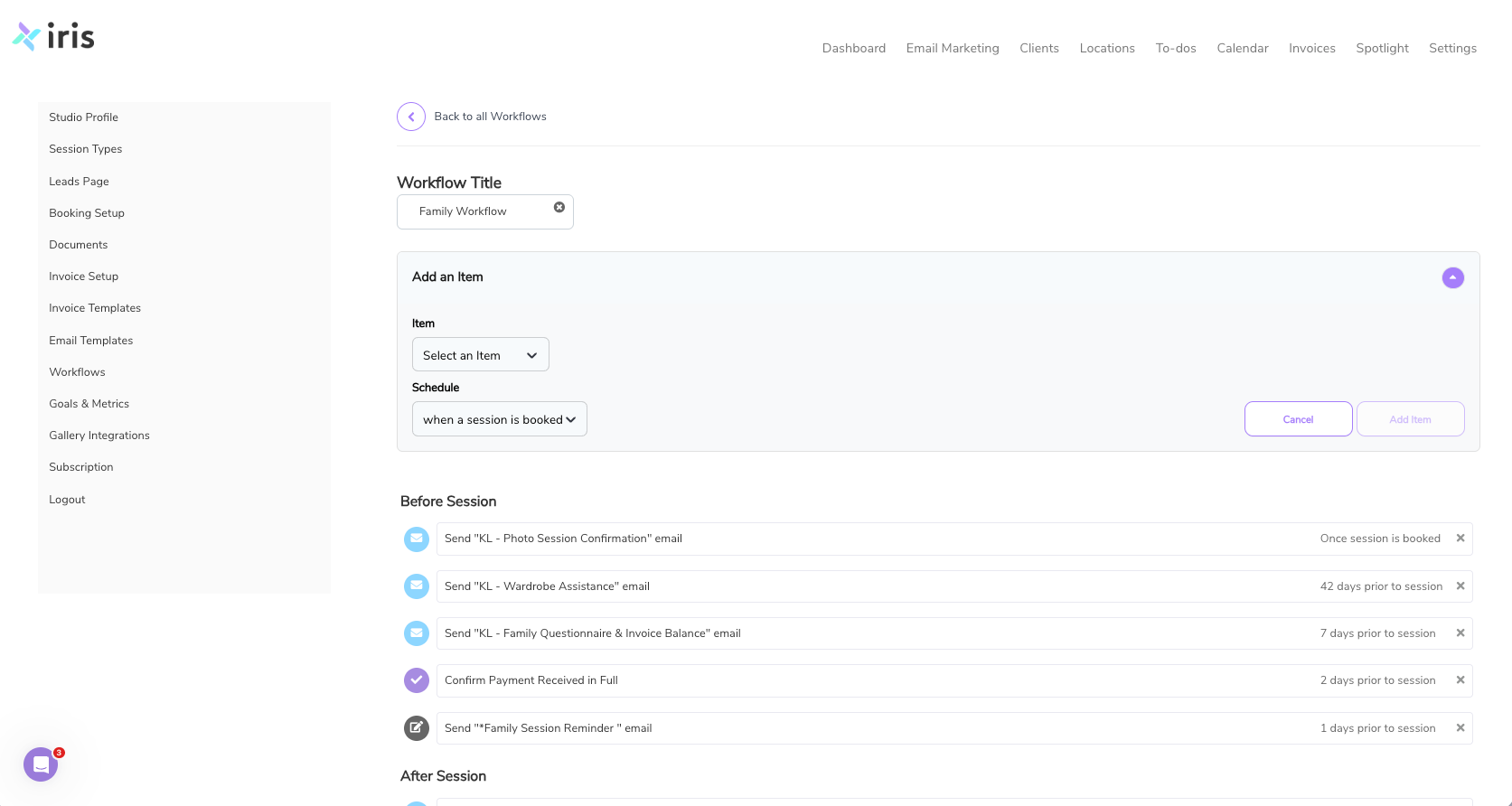
Automated Workflows
Set up simple workflows for inquiries and bookings. Automatically send emails, reminders, and next steps without doing it manually every time.
Online Booking
Let clients pick a date, sign a contract, and pay in one step. No back-and-forth emails needed.
Invoicing and Payments
Send invoices, track payments, and send reminders automatically so nothing gets missed.
Instead of reacting to everything, you are running a structured, predictable process.
Putting It Into Practice: 4 Steps to Streamline Your Studio
Getting started does not have to be complicated. Focus on a few key steps first.
1. Organize Your Contacts
Bring all your clients into one system. Import from spreadsheets, email lists, or wherever you are currently storing them.
Use tags to group clients by session type or status so you can stay organized.
2. Build Your First Workflow
Start simple.
Set up a workflow for new inquiries:
- Send an automatic response
- Create a follow-up reminder
- Collect details with a questionnaire
This removes repetitive work immediately.
3. Set Up Your Booking Calendar
Define your session types, pricing, and availability.
Once your booking calendar is live, clients can book, sign, and pay without needing to email back and forth.
4. Create Email Templates
Write your most common emails once:
- Booking confirmations
- Session reminders
- Gallery delivery
Save them inside Iris so you can reuse them and stay consistent.
Take the Next Step
Scaling your photography business does not have to feel chaotic.
With the right system in place, you can manage more clients, stay organized, and deliver a consistent experience every time.
If you want to see how this works in real time, start with a simple setup and build from there.
Start your free trial of Iris Works and see how a photography CRM can simplify your workflow.
Frequently Asked Questions
Is a photography CRM hard to set up?
No. A photography CRM like Iris Works is designed for photographers, not developers. You can get your core setup done quickly and build from there.
Will automation make my client experience feel less personal?
No. It actually improves it. Automation handles repetitive tasks so you can focus on real interactions with your clients.
How much time can a photography CRM save?
Most photographers save several hours each week by automating emails, follow-ups, and scheduling.
Can a photography CRM help me book more clients?
Yes. Faster responses, organized leads, and an easy booking process make it easier for clients to commit.
Do I still need other tools?
A photography CRM works as your central hub. You can still connect tools like galleries or accounting software, but everything stays organized in one place.
Recent posts