

This is a subtitle for your new post
Every successful photography business runs on repeatable systems. The difference between a photographer who feels constantly overwhelmed and one who handles a full calendar with ease usually comes down to whether they have a workflow. A repeatable session workflow is a defined sequence of steps that takes every client from booking to delivery the same reliable way, every single time.
This guide explains how to build a photography session workflow that keeps your business consistent and organized, removes the mental burden of remembering every task, and creates a smoother experience for both you and your clients.
What a Session Workflow Actually Is
A session workflow is simply the series of steps that happen for every client, mapped out in order. It covers everything from the moment an inquiry comes in through booking, preparation, the session itself, and gallery delivery and follow up. Instead of handling each client differently and relying on memory, you follow the same proven path each time.
Think of it as a recipe for your client experience. Once you have defined the steps, you can repeat them reliably, refine them over time, and eventually automate them so they run with minimal effort.
Why Every Photographer Needs a Workflow
Without a workflow, running a photography business means constantly reacting. You respond when you remember, send information when you find time, and follow up when you realize you forgot. This reactive approach creates stress, inconsistency, and details that slip through the cracks.
A workflow replaces that chaos with structure. It ensures every client receives the same professional treatment, nothing gets forgotten, and you always know what happens next. The mental relief alone, no longer carrying every task in your head, is reason enough to build one.
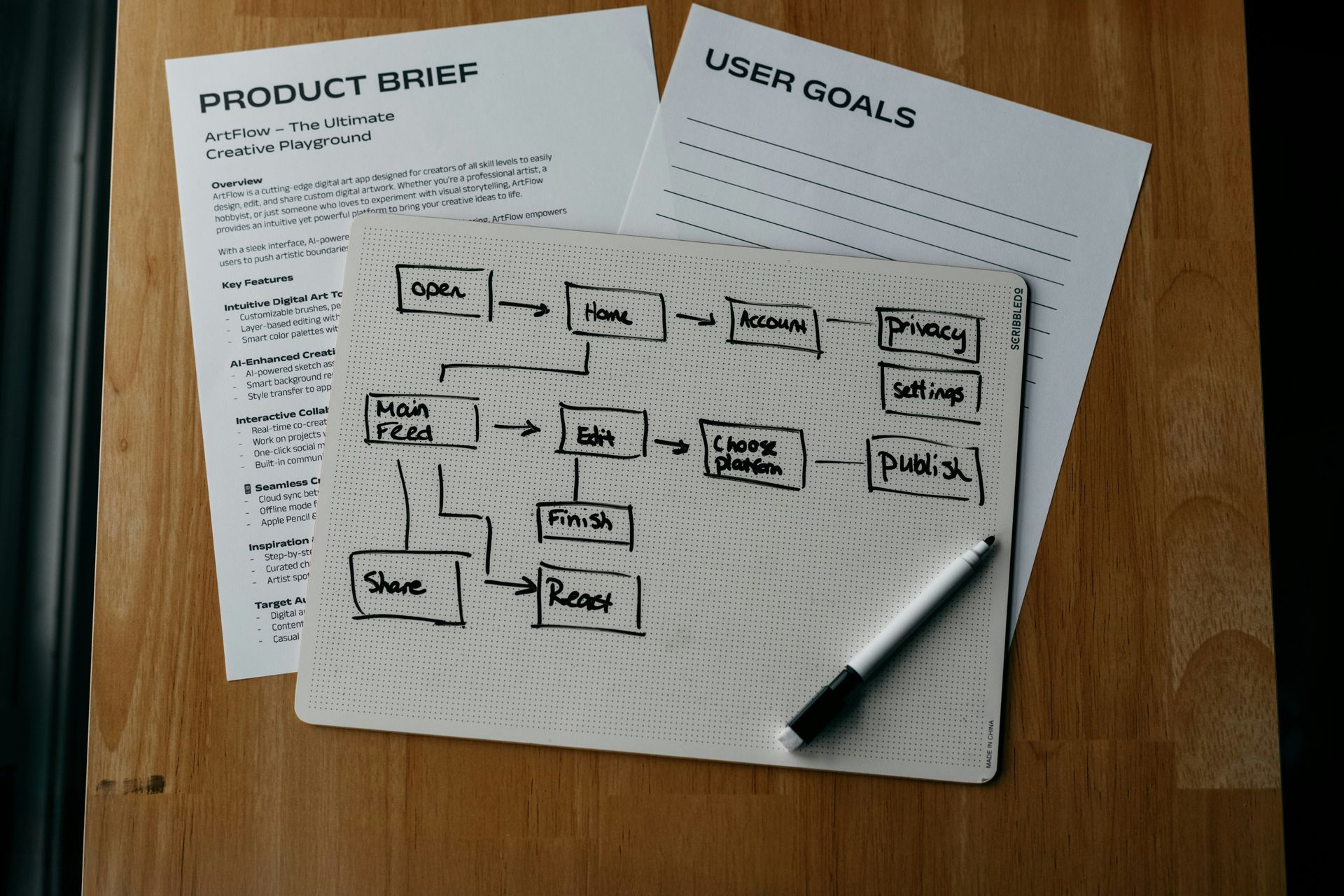
Step 1: Map Out Your Client Journey
Begin by writing down every step that happens from the first inquiry to long after delivery. Include responding to the inquiry, booking, sending the contract and invoice, preparing the client, conducting the session, delivering the gallery, and following up. Seeing the full journey laid out reveals exactly what your workflow needs to cover.
This mapping exercise often surprises photographers with how many steps are actually involved. That is precisely why a workflow is so valuable, because keeping all of these steps straight by memory is nearly impossible.
Step 2: Define What Happens at Each Stage
For each stage in the journey, decide exactly what should happen and when. What message goes out when an inquiry arrives? What is sent at booking? When does the prep guide go out, and when does the reminder follow? Defining these details turns a rough outline into a precise, actionable workflow.
Be specific about timing. Deciding that the prep guide goes out five days before the session and the reminder goes out the day before creates a clear schedule that keeps communication consistent for every client.
Step 3: Create Your Templates
A workflow depends on having your communication ready to go. Write templates for each message in your journey: the inquiry response, booking confirmation, prep guide, reminder, delivery message, and follow up. Writing these once in your own voice means they are ready to send or automate at the appropriate step.
Good templates save enormous time while keeping your communication consistent and professional. They also ensure you never have to compose an important message from scratch in a rush.
Step 4: Build in Your Business Requirements
Integrate the essential business steps into your workflow, such as requiring a signed contract and a deposit before a booking is confirmed. Building these requirements into the flow ensures that every client completes the necessary steps as a natural part of the process, protecting your business without extra effort.
When these safeguards are part of the workflow, you never end up with an incomplete booking or a session without a signed agreement, because the workflow simply does not proceed without them.
Step 5: Test and Refine Your Workflow
Once your workflow is mapped, run through it with a test client or your first few real clients and watch for anything that feels off. Maybe a reminder is timed poorly, or a message could be clearer. Refine as you go until the workflow feels smooth and complete.
A workflow is a living system. The best photographers continually improve theirs based on what they learn, adding steps that help and adjusting timing that does not work. Small refinements compound into a highly polished process over time.
Step 6: Automate What You Can
The final step is where a workflow becomes truly powerful. Once your steps and templates are defined, you can automate the repetitive parts so they happen without your involvement. Automated communication, reminders, and follow ups run on schedule, freeing you from the manual work of executing every step by hand.
Automation is what allows a workflow to scale. Whether you have five clients or fifty, an automated workflow handles the routine steps consistently, so growth does not mean drowning in administrative tasks.
Signs Your Business Needs a Workflow
If you are unsure whether a workflow is worth the effort of building, a few clear signs indicate that your business is ready for one. The most obvious is the feeling of constantly reacting, always responding to whatever is most urgent rather than working from a plan. If you frequently worry that you have forgotten a step or left a client waiting, that anxiety is a strong signal that you need a defined system.
Another sign is inconsistency in how you treat clients. If some clients receive a prep guide and others do not, or if your communication depends on how busy you happen to be that week, your client experience is uneven. A workflow ensures every client receives the same professional treatment regardless of how full your schedule is.
You may also notice that you spend too much time on repetitive administrative tasks, rewriting similar emails and manually tracking where each client stands. If your inbox feels like a never ending to do list, a workflow is the answer. Finally, if the thought of taking on more clients feels overwhelming rather than exciting, it is often because your current manual process cannot scale. A workflow removes that ceiling, letting you grow without proportionally increasing your workload.
How Iris Works Turns Your Workflow Into an Automated System
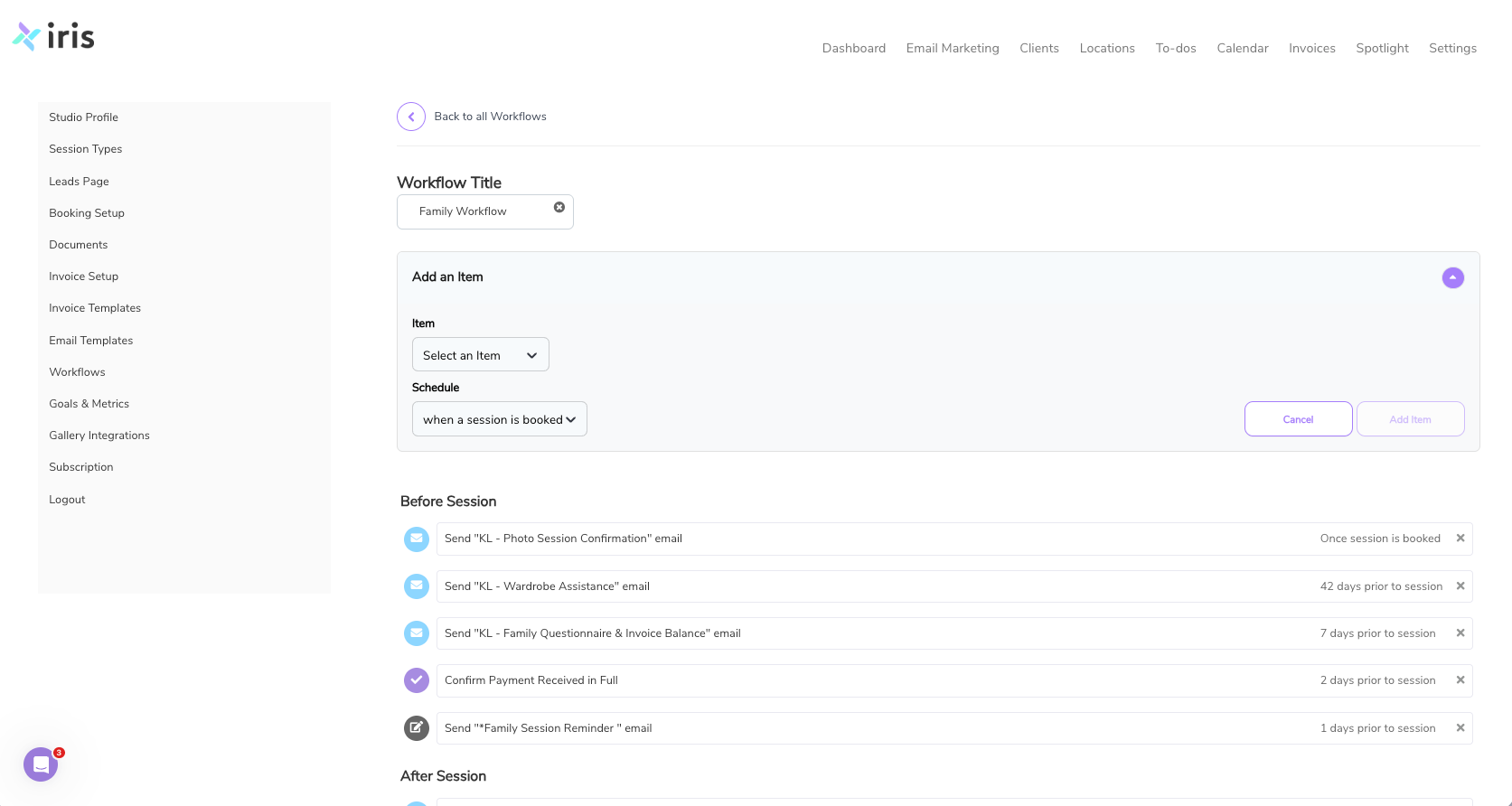
Building a workflow on paper is a great start, but its full power is unlocked when you put it into a system that runs it for you. This is exactly what Iris Works is designed to do. You can build your mapped out session workflow directly into Iris Works, with each step and its timing defined, and then simply apply it to every client.
From there, Iris Works handles the sequence automatically. The inquiry response, booking confirmation, contract, invoice, prep guide, reminder, and follow up all fire at the right moment based on your workflow. You stop tracking tasks in your head and let the system carry them out. The result is a business that runs on consistent, repeatable systems rather than memory and last minute scrambling, which is the foundation of a photography business that can grow without burning you out.
Frequently Asked Questions
How does Iris Works help me build a repeatable session workflow?
Iris Works lets you build your mapped out session workflow directly into the platform, defining each step and its timing. You then apply it to every client, and the system carries out the sequence the same reliable way every time.
Can Iris Works automate the steps in my photography workflow?
Yes. Once your workflow and templates are set up in Iris Works, the inquiry response, booking confirmation, contract, invoice, prep guide, reminders, and follow up can all fire automatically at the right moment, so you stop tracking tasks by hand.
How does a workflow in Iris Works help my business grow?
By automating the routine steps, a workflow in Iris Works handles the same tasks consistently whether you have five clients or fifty. That means you can take on more work without drowning in administrative tasks, which is what makes growth sustainable.
Can I create different workflows for different session types in Iris Works?
Yes. Iris Works lets you build separate workflows for weddings, families, branding sessions, and more, then apply the right one at booking. Each client is guided through the process that fits their session while everything stays organized in one place.
Recent posts