

Email templates are one of the easiest ways to improve communication without increasing workload. Many photographers rewrite the same explanations repeatedly. This wastes time and increases inconsistency. Setting up email templates once can prevent that cycle.
Identify Your Most Repeated Emails
Start by reviewing your inbox. Look for responses you send frequently. Inquiry replies, pricing explanations, and preparation guides are common examples.
These are perfect candidates for email templates. When information is standardized, clarity improves. Clients benefit from consistency.

Keep Templates Clear and Warm
Templates should still sound like you. Write them in your voice. Avoid overly formal language if that is not your style.
Email templates work best when they anticipate questions. Including clear next steps reduces follow-up. Fewer follow-ups save time.
Organize Templates by Stage
Think about your workflow stages. Inquiry, booking, pre-session, delivery, and follow-up are typical phases. Create email templates for each stage.
Organizing them this way ensures the right message is sent at the right time. Timing improves experience. Experience builds trust.
How Iris Works Simplifies Email Templates
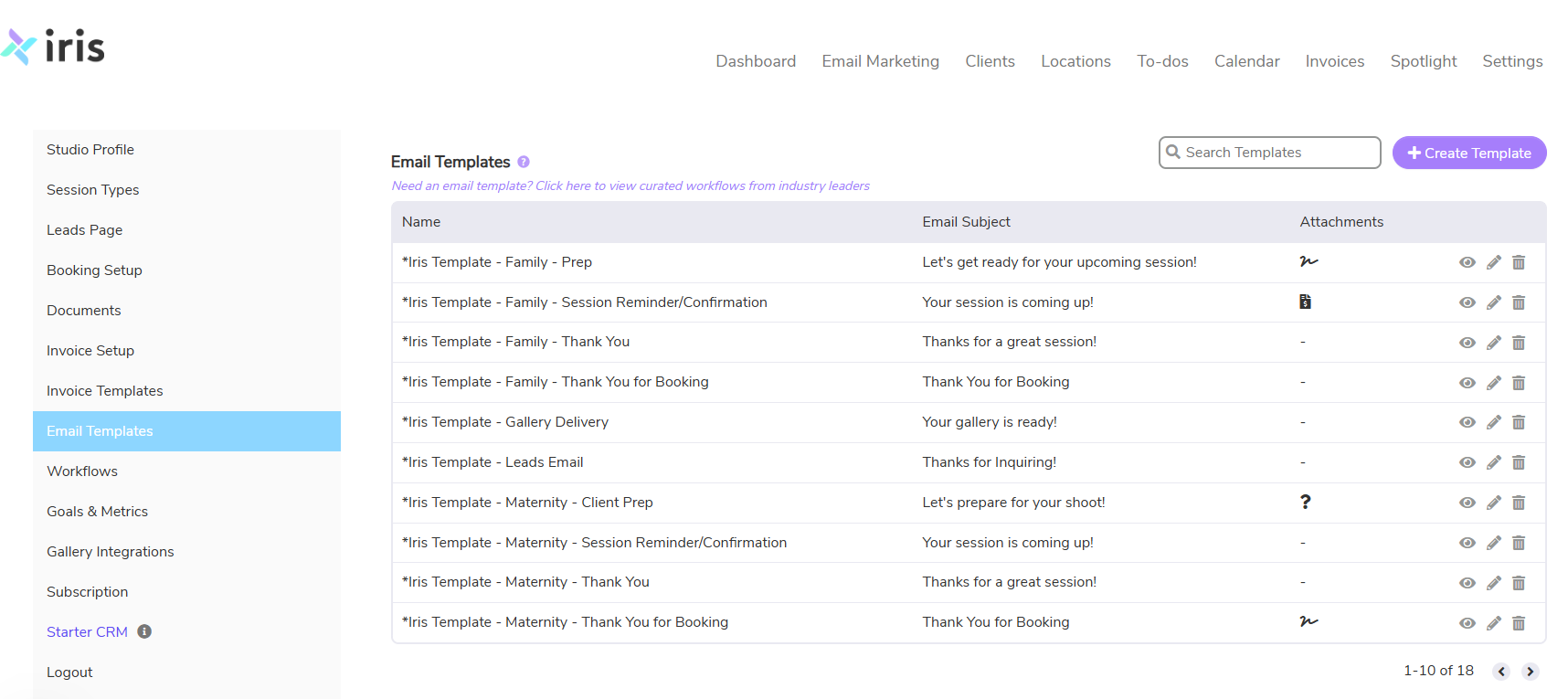
With Iris Works, photographers can create and store email templates directly inside the client workflow. Templates can trigger automatically when certain actions occur. Nothing needs to be copied and pasted manually.
Email templates inside Iris Works reduce mental load. Communication becomes structured. Structure prevents overwhelm.
Templates Create Breathing Room
When email templates handle repetitive communication, your inbox feels lighter. You respond faster without rushing. Clients feel guided.
Consistency strengthens your brand voice. Clear communication builds trust. Trust supports bookings.
FAQ: Using Email Templates in Iris Works
Why should photographers use email templates?
Email templates save time by eliminating the need to rewrite the same messages repeatedly. When email templates are set up properly, communication becomes consistent and clear. This reduces confusion for clients and prevents important details from being forgotten.
What types of email templates should I create first?
Start with the emails you send most often. Inquiry responses, booking confirmations, session preparation guides, and delivery messages are strong starting points. Creating email templates for each stage of your workflow ensures clients receive the right information at the right time.
How do email templates work inside Iris Works?
Inside Iris Works, email templates can be created, stored, and linked directly to client workflows. Templates can trigger automatically based on client actions, removing the need for manual copy and paste. Using email templates this way keeps communication organized and predictable.